A no-code popup builder is a visual tool that lets you design and launch website popups without writing any code. The 5 best no-code popup builders in 2026 are SuperPopups, OptiMonk, Onvocado, Wisepops, and Poptin, each suited to different goals and website types. The right tool lets you launch campaigns in hours instead of weeks, test ideas quickly, and grow revenue without constantly relying on developers. The wrong one becomes yet another clunky plugin that slows down your site and annoys users.
In this guide, we’ll walk through what a no‑code popup builder is, the features that actually matter, the types of popups that convert best, and the 5 best no‑code popup builders for your website right now. By the end, you’ll know exactly which direction to go, and why SuperPopups is a strong option to put at the center of your stack.
Why Choosing the Right No‑Code Popup Builder Matters
Popups are one of the few channels that touch nearly every visitor on your site. When done well, they feel like helpful suggestions. When done badly, they feel like interruptions.
A good no-code popup builder helps you:
Capture more email subscribers and leads without extra ad spend
Recover lost sales with smart cart abandonment popup flows
Guide visitors toward the right content or product at the right time
Test new offers, layouts, and types of popups in days, not months
Build a free popup builder workflow that scales without increasing headcount
Because these tools sit between your traffic and your conversions, your choice of popup builders has an outsized impact on growth. That's why it's worth comparing a few options and being deliberate about the best no-code popup builder for your site, whether you're building a popup for Webflow, WordPress, Shopify, or any custom website.
What Is a No‑Code Popup Builder?
A no-code popup builder is a web‑based tool that lets you design, launch, and manage website popups visually, without writing code or touching your site’s backend. Instead of manually coding overlays or installing heavy plugins, you add one lightweight script and then control everything from a dashboard.
In practice, a no‑code popup builder usually gives you:
A drag‑and‑drop editor so you can create popups without code
Conversion‑ready popup templates for common goals (email capture, discounts, lead magnets, announcements)
Targeting and triggers so the right visitors see the right message
Basic analytics and A/B testing to improve performance over time
For teams managing multiple sites, a script-based no-code popup builder is far more flexible than installing a separate plugin per CMS. A modern popup builder without coding works across platforms and keeps your marketing team in control.
Key Features to Look for in Popup Builders
Not all popup builders are created equal. Before you install anything, look at how the tool will fit into your current and future workflow.
Here are the features that matter most:
1. Visual Editor and Templates
The best popup builders offer a free popup builder tier with enough templates to test campaigns before committing to paid plans.
Look for:
Drag‑and‑drop blocks instead of confusing configuration screens
A library of popup templates (welcome discounts, newsletter forms, upsells, cart abandonment popup flows, etc.)
Easy control over fonts, colors, spacing, and images so your popups match your brand
2. Triggers and Targeting
This is especially true for exit intent popup behavior, the trigger that fires when a visitor is about to leave your page is one of the highest-ROI features in any popup builder for ecommerce or SaaS
Essential triggers include:
Time on page and scroll depth
Click‑triggered popups (when a user clicks a specific button or link)
Exit intent popup behavior to catch abandoning visitors
Targeting options to look for:
Page‑level and URL‑based rules (home, pricing, blog, checkout, etc.)
Device‑level targeting (desktop vs mobile)
Basic segmentation (new vs returning visitors, traffic source, cart value for ecommerce)
3. Integrations and Data Flow
Even the best popup builder for ecommerce or SaaS will fall flat if it’s a data silo.
Check for:
Native integrations with your email platform, CRM, or marketing automation
Webhooks or API access for more advanced setups
Event tracking support so you can measure how different types of popups affect key metrics
4. Performance and UX
Heavy plugins and bloated scripts can hurt your site speed and user experience, and directly affect your Google Core Web Vitals scores. Choose a popup builder without coding that loads asynchronously and adds minimal weight.
Prefer tools that:
Load asynchronously and add minimal weight to the page
Offer mobile‑optimized layouts
Give you fine‑grained control so your popups aren’t spammy or intrusive
5. Testing and Analytics
Finally, a good no-code popup builder should help you get smarter over time, not just ship one static design.
Look for:
Conversion metrics per popup and per page
Basic A/B testing for headlines, layouts, and offers
Insights into how different types of popups (e.g., exit intent popup vs welcome overlay) perform
Types of Popups That Convert Best
There’s no single “magic” format that always wins, but certain types of popups tend to perform well across SaaS and ecommerce.
Welcome Popups
These appear shortly after a new visitor lands, usually offering:
A small discount (for ecommerce)
A newsletter or content subscription
A lead magnet such as a guide or checklist
They’re a good way to introduce your brand and capture interest before someone bounces.
Exit Intent Popups
According to Campaign Monitor data, switching from a static sidebar form to a well-configured exit intent popup can grow your email list up to 1,375% faster.
You can use them to:
Offer a last‑chance discount or free shipping
Remind visitors of items in their cart
Promote a trial, demo, or content upgrade for SaaS
When timed well and combined with good targeting, exit‑intent overlays can recover revenue that would otherwise be lost.
Cart Abandonment Popups
A specific subset of exit‑intent and reminder campaigns, the cart abandonment popup is triggered when someone has items in their cart but shows signs of leaving.
Typical use cases:
Triggering on checkout or cart pages when users move to close the tab
Offering a small incentive or reassurance (e.g., free returns, secure checkout)
Nudging logged‑in users who come back later but still haven’t checked out
For most online stores, adding a well‑optimized cart saver flow is one of the fastest ways to justify investing in a popup builder.
In‑Page Forms and Slide‑Ins
Not every message needs a big modal. In‑page forms and slide‑ins:
Take up less screen space
Work well for blog posts and educational content
Can promote subtle offers without overwhelming the user
These quieter formats are essential if you want to maintain a smooth UX while still converting.
Spin‑to‑Win and Gamified Popups
“Spin‑to‑win” and similar games add a playful twist to discounts and list‑building.
They’re particularly effective when:
You want to stand out from standard templates
Your brand voice is more fun and informal
You’re running a short‑term campaign or seasonal promotion
Gamified popups report 3–5x higher engagement rates than standard modal popups in eCommerce A/B tests
Most modern website popup builders include at least a few gamified popup templates, which you can customize for your own use cases.
The 5 Best No‑Code Popup Builders for Your Website in 2026
Now that you know what to look for, let’s walk through five solid options. This isn’t every tool on the market, but it’s a realistic shortlist of no-code popup builder platforms worth evaluating.
SuperPopups is built specifically as a lightweight, flexible no-code popup builder, and the best free popup builder option, that works on virtually any website without requiring a plugin or developer. You embed one script and control everything from a dashboard tailored to marketers rather than developers.
Why it stands out:
Clean editor that makes it easy to create popups without code
A range of popup templates for welcome offers, cart abandonment popup flows, lead magnets, and more
Smart triggers including exit intent popup, scroll, time‑based, and click‑triggered overlays
Designed to minimize performance impact while still providing robust targeting and analytics
If you're looking for a central, script‑based solution for Webflow, WordPress, Shopify, or any custom site, SuperPopups is a strong candidate for the best popup builder for SaaS and eCommerce teams alike.
Pricing: Free plan available. Paid plans with advanced targeting and analytics at tiered monthly rates. [Start free at superpopups.com]
Pros: No plugin needed, works on any platform, lightweight script, free plan available.
Cons: Newer tool with a smaller public review base than OptiMonk or Wisepops.
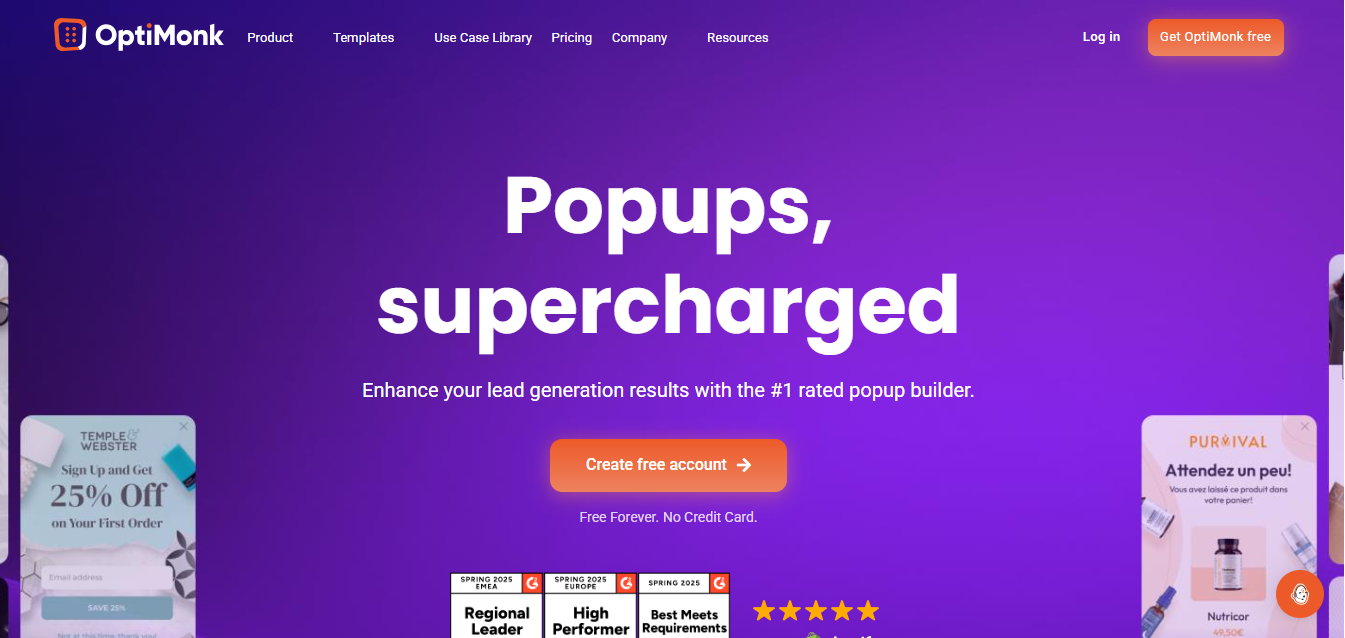
OptiMonk is a popular no-code popup builder for ecommerce brands that want deep personalization and on-site messaging tailored to visitor behavior. It's a strong contender as the best popup builder for ecommerce.
Solid templates for discount campaigns and list‑building
Behavioral targeting and segmentation
Adequate analytics for conversion‑driven teams
For many stores, it’s a contender for the best popup builder for ecommerce, especially when combined with a robust email program.
Pricing: Free plan up to 15,000 pageviews. Paid from ~$39/month.
Pros: Strong eCommerce personalization, free plan available, solid A/B testing.
Cons: Pricing scales up steeply with traffic volume.
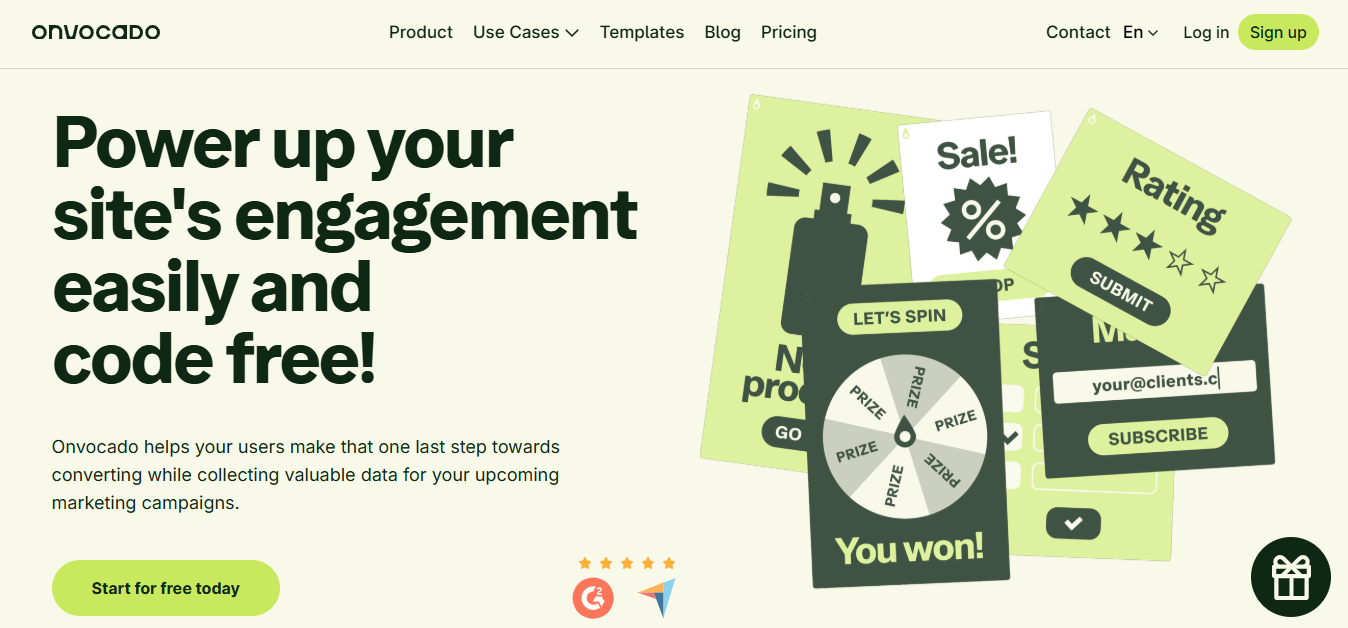
Onvocado is a no-code popup builder focused on simplicity, ideal for small teams and early-stage websites that want to create popups without code and without a steep learning curve.
Key strengths:
Straightforward setup and minimal learning curve
Essential triggers and forms for core lead‑capture use cases
A good match for smaller teams that still want a genuine no-code popup builder rather than custom code
It’s a realistic option if you don’t need every advanced feature of the bigger players but want to move beyond basic plugins.
Pricing: Check onvocado.com for current pricing tiers.
Pros: Minimal learning curve, clean interface.
Cons: Fewer advanced features compared to OptiMonk or Wisepops.
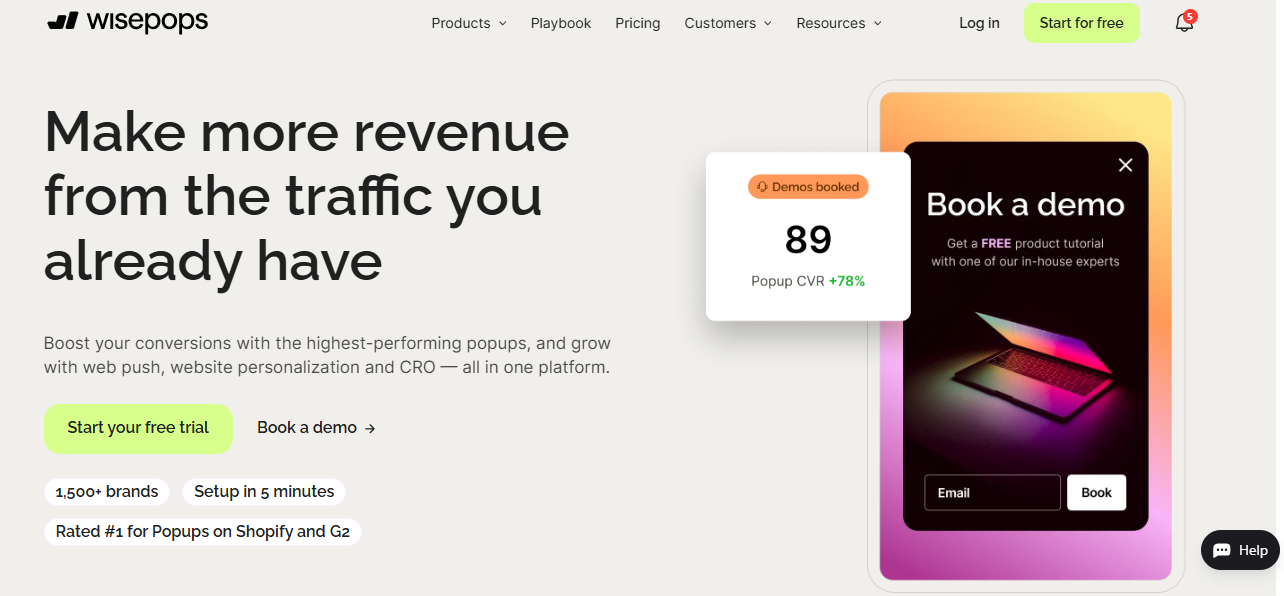
Wisepops is a well-established no-code popup builder known for flexible targeting, strong reporting, and a wide variety of popup types, making it one of the best popup builders for SaaS and content marketing teams that run regular growth experiments.
Highlights:
Detailed display rules and segmentation
A wide range of formats and types of popups
Robust analytics for optimizing placements, pages, and offers
If you run growth experiments regularly, Wisepops can feel like one of the best popup builder for SaaS and content marketing teams.
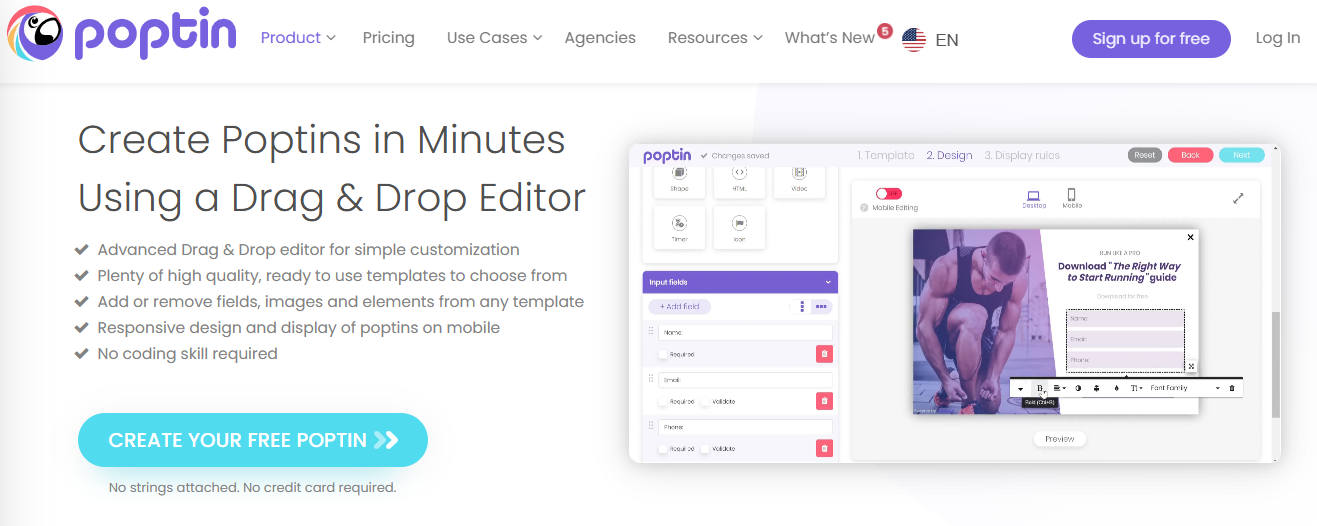
Poptin is a beginner-friendly no-code popup builder that offers an accessible way to get started with overlays, embedded forms, and email capture popups, making it a solid first step for small businesses exploring website popup builders
Strengths:
Friendly editor with familiar popup templates
Support for various goals (email capture, contact forms, offers)
Integrations with common email and CRM tools
For many small businesses or early‑stage SaaS products, Poptin is a practical first step into the world of website popup builders before they graduate to more advanced stacks.
Pricing: Free plan up to 1,000 visitors/month. Paid from $25/month.
Pros: Generous free plan, beginner-friendly, good integration list.
Cons: Less suited for complex multi-step campaigns or advanced SaaS use cases.
Comparison Table – Platform Support, Templates, and Use Cases
Popup Builder
Ideal Users
Platform Style
Template Depth
Strong Use Cases
SuperPopups
SaaS & ecommerce teams, multi-site
Script (any website)
Broad popup templates set
Trials, welcome offers, cart recovery
OptiMonk
Ecommerce stores
Integrates with CMS
Ecommerce-focused
Discounts, personalization, cart savers
Onvocado
Small teams, simple setups
Script/CMS options
Core basics
Lead capture, simple promotions
Wisepops
Advanced marketers
Script (multi-site)
Wide variety
Complex targeting, multi-step campaigns
Poptin
SMBs and early-stage SaaS
Plugins + script
Starter-friendly
Basic list building and contact forms
How to Choose the Best Popup Builder for Your Website
Here’s a simple decision framework you can follow:
Define your primary goal
Ecommerce: grow your list, save carts, increase AOV
SaaS: drive trials, demos, and product activation
Map your stack
Pure WordPress? Headless frontend? Multiple properties?
Do you prefer a single no-code popup builder script or multiple platform‑specific solutions?
Clarify who will use it
If marketing runs experiments, prioritize UI and built‑in popup templates over ultra‑custom setups.
If you have a technical growth team, deeper integration and event tracking might matter more.
Evaluate costs vs limits
Look at whether the pricing scales with traffic, leads, or features—and how that compares to a plugin‑based approach.
For many modern sites, the best long‑term path is to adopt a script‑based popup builder without coding that works across your tech stack (like SuperPopups) and then layer more advanced workflows on top as you grow.
Quick Checklist: Must‑Have Features in a No‑Code Popup Builder
Use this checklist as a quick “yes/no” filter when you’re comparing popup builders:
Clean visual editor to create popups without code
Library of modern, responsive popup templates
Support for key types of popups (welcome, exit intent popup, cart abandonment popup, slide‑ins, in‑page forms)
Robust triggers and targeting rules
Integrations with your CRM, email tool, and analytics
Lightweight script with strong performance on mobile and desktop
Built‑in A/B testing and clear reporting
If a tool fails on more than a couple of these points, it’s probably not the best popup builder for your website right now.
FAQs
1) Do I really need a no‑code popup builder if I have developers?
Technically, you could hand‑code popups, but a no-code popup builder saves developer time and gives marketers the freedom to iterate. You’ll launch more experiments, faster, and with far less friction.
2) What’s the difference between a plugin and a no‑code popup builder?
A plugin usually ties you to one CMS and theme. A script‑based website popup builder or SaaS tool tends to be lighter, more flexible, and easier to manage across multiple sites.
3) Which popup type should I start with?
Most sites start with a welcome offer and an exit intent popup on key pages. Ecommerce brands should also add a basic cart abandonment popup on cart and checkout pages.
4) Can popups hurt user experience?
Yes, if they’re poorly timed, irrelevant, or hard to close. Following solid popup best practices (sensible triggers, frequency caps, mobile‑friendly layouts) keeps popups helpful, not annoying.
5) Which is the best popup builder for ecommerce vs SaaS?
For ecommerce, the best popup builder for ecommerce is usually one that focuses on cart recovery, product promotions, and integrations with your email platform. For SaaS, the best popup builder for SaaS is the one that handles trials, demos, and onboarding messages cleanly across your marketing site and app.
Conclusion
Popups are too powerful to leave to chance or to outdated plugins. A modern no-code popup builder gives you the flexibility to test ideas, adapt quickly, and keep your visitors’ experience smooth.
Whether you're prioritizing email list growth, free trial signups, or higher cart values, tools like SuperPopups, OptiMonk, Onvocado, Wisepops, and Poptin give you everything you need. But for a script-based, free popup builder that works across Webflow, WordPress, Shopify, and any custom website without coding, SuperPopups is the strongest starting point.
Install it on superpopups.com, ship your first welcome and exit intent popup campaigns, then expand into more advanced types of popups and flows. Over time, you’ll see why having the right no-code popup builder at the heart of your growth engine is one of the smartest bets you can make.
Last updated on:
March 27, 2026
SuperPopups Team
The SuperPopups Team is a collective of writers and growth marketers who blend storytelling with conversion strategy. We break down complex CRO, popup optimization, and on-site engagement tactics into clear, practical content that teams can actually use. Our mission is simple: create helpful, data-driven resources that empower businesses to boost conversions, improve user experience, and grow smarter.
More Articles
May 22, 2026
13
Min Read Time
How to Set Up a Popup Funnel That Nurtures Visitors from First Visit to Conversion
Learn how to set up a popup funnel that nurtures visitors from first visit to conversion with the right popup strategy, timing, and offers.
How to Use Popups with Google Ads Landing Pages Without Hurting Quality Score
Popups can hurt your Google Ads Quality Score, but only the wrong ones. Learn which popup formats are safe for PPC landing pages and how to set them up.
What Is Popup Fatigue and How to Avoid It on Your Website
Popup fatigue kills conversions silently. Learn what it is, what causes it, and 6 proven fixes to avoid it on your website without removing your popups.
Sleeknote Alternatives: Best Popup Builders to Consider in 2026
Sleeknote too expensive? Discover the 4 best popup builder alternatives in 2026, one is free forever. Compare features, pricing & find the right fit for you.
Popups for Online Coaches and Course Creators: Grow Your List and Sell More Courses
Coaches lose leads daily from visitors who don't subscribe or enroll. Learn how popups for online coaches grow your list and sell more courses, FREE with SuperPopups.
Popup for Restaurant Websites: How to Drive More Reservations and Signups
Do restaurant websites need popups? Yes, they convert menu browsers into table bookings and email signups. See which popup types work best, free with SuperPopups.
Popup for Real Estate Websites: How Agents Capture More Leads Online
Real estate agents lose leads daily from property browsers who don't enquire. Learn how a popup for real estate websites captures more leads free with SuperPopups.
Cart Abandonment vs Exit Intent: What's the Difference and Which Should You Use?
Cart abandonment popups convert at up to 17% on cart pages. Exit intent works on every page. Learn the real difference and when to use each, plus how to set both up free.
How to Use Popups to Grow a Shopify Store: Complete 2026 Strategy Guide
Want to grow your Shopify store with popups? This 2026 guide covers every popup type, trigger, placement & setup, email capture, exit intent, cart abandonment & more.
How to Add a Popup to Wix Without a Plugin (No Code)
Learn how to add a popup to Wix without a plugin using no-code methods. Follow our simple step-by-step guide to create stunning popups on your Wix website fast.
How to Add a Popup to Your Squarespace Website (No Code)
Learn how to add a popup to your Squarespace website without any code or plugin. Use SuperPopups to launch email capture, exit intent & discount popups in minutes.
How to Use Popups on Blog Posts Without Hurting Readership
Learn how to add popups to blog posts without hurting readership. Timing, triggers & placement tips to grow your email list while keeping readers engaged.
Free Popup Builder for Small Businesses: Best No-Cost Tool in 2026
The best free popup builder for small businesses in 2026, No credit card, no code, no expiry. Capture emails, recover abandoning visitors, and grow sales from day one.
Popup Templates: How to Choose the Right Design for Your Goal
Discover how to choose the right popup templates for your goal. Explore popup design tips to boost conversions, grow leads, and engage visitors effectively.
How to Create a Popup for Your WordPress Website (Free, No Plugin Required)
Create a popup for your WordPress website in under 5 minutes, free, no plugin, no coding. Step-by-step setup guide using a lightweight script that won't slow your site.
How to Use Popups to Promote Flash Sales and Limited-Time Offers
Learn how to use flash sale popups to drive urgency, boost conversions, and promote limited-time offers, with countdown timers, triggers, and real examples.
Newsletter Popup: How to Get More Subscribers Without Being Annoying
Learn how to use a newsletter popup to grow your subscriber list fast, without annoying visitors. Tips to boost signups while keeping your user experience smooth.
Do Popups Affect SEO? How to Use Them Without Getting Penalized
Popups don't hurt SEO, unless they break one Google rule. Learn which popups trigger the intrusive interstitial penalty and how to use them safely in 2026.
Add a popup to your Shopify store without installing an app. One lightweight script, no code, no App Store fees, live in under 10 minutes. Here's exactly how to do it.
Popup vs Banner: What's the Difference and Which Converts Better?
Popup vs banner, what's the difference, and which converts better? Compare both formats and find out which drives more leads, clicks, and sales for your website.
Learn how to write popup copy that converts, headline formulas, CTA button text, and micro-copy tips backed by data. First-person CTAs alone can lift clicks by 90%.
Popup for Ecommerce: How to Use Popups to Increase Sales
70% of shoppers abandon their cart. Ecommerce popups fix that. Learn which popup types convert best, what to offer, and how to set one up in under 10 minutes.
Learn how to reduce bounce rate with exit intent popups. Discover proven strategies to re-engage leaving visitors and boost conversions on your website.
How to Use Popups for Lead Generation (Complete Guide)
Learn how to use popups for lead generation with proven strategies, timing tips, and design best practices to capture more leads and grow your email list fast.
Popup Conversion Rate: What's a Good Rate & How to Improve It
Learn what a good popup conversion rate is, industry benchmarks, and proven tips to improve your popup performance and boost conversions. Start optimizing today.
Email Capture Popup: How to Grow Your Email List Faster
Learn how email capture popups grow your email list faster. Types, triggers, best practices & real examples. Start converting visitors into subscribers today.
How to Add a Popup to Your Website in 5 Minutes (No Code)
Learn how to add a popup to your website in just 5 minutes, no coding required. Step-by-step guide to launch your first popup and capture more leads today.
No-Code Popup Builder: What It Is & Why It Matters (2026)
A no-code popup builder lets you create exit intent, email capture & discount popups without coding. Learn what it is, how it works & why it matters in 2026.
Looking for the best popup builder for Shopify? This 2026 guide covers top tools for exit intent popups, email capture, discount popups, and cart abandonment, with free plan options included.
Popup Design Best Practices: UI, UX & Psychology for Higher Conversions 2026
Popup design best practices 2026: UI, UX, and psychology tips to create high‑converting popups that reduce friction, boost engagement, and respect user experience.
Popup Builder vs WordPress Popup Plugin: Which is Better in 2026?
WordPress popup plugins slow your site 30-50%. Script-based builders like SuperPopups are faster, flexible, and work on any platform. Free plan available.
Top 5 OptinMonster Alternatives to Boost Conversions in 2026
Looking for the best OptinMonster alternatives? Find top 5 powerful popup and lead generation tools for 2026 with features, pricing, and tips to boost conversions
What Is a Lightbox Popup and Why SaaS Businesses Should Use It?
Learn what a lightbox popup is and why it is most importance for SaaS businesses. Know about its benefits, examples, and tools to increase sign-ups and engagement.
Find the top 10 best popup builders of 2025 to boost conversions, capture leads, and reduce cart abandonment. Compare features and pricing to choose the right popup software for your website.
What Are the Types of Website Popups? The Complete Guide for SaaS Businesses in 2025
Learn the different types of popups, designed to boost conversions without ruining user experience. And how SuperPopups help your SaaS business growth.
SuperPopups vs. OptiMonk: Complete Comparison Guide 2026
Compare SuperPopups vs. OptiMonk to find the best popup builder for your business. Find key differences in pricing, features, ease of use, and conversion performanceupdated for 2025.
Find the Webflow powerful pop-up builder tool to boost conversions, capture leads, and enhance user engagement without coding. Easily create, customize, and manage popups in Webflow.


.jpg)

.avif)








.jpg)










.jpg)



.jpg)





.jpg)

.jpg)
.jpg)









