Popup vs Banner: What's the Difference and Which Converts Better?
April 8, 2026
10
Min Read Time
Popups and banners are both on-site conversion tools, but they work in completely different ways. A popup interrupts the visitor with a focused, full-attention message triggered by their behaviour. A banner sits passively on the page, competing with everything else for a glance. Popups average 4–11% conversion rates. Display banners average 0.46% CTR. The right choice depends entirely on what you are trying to achieve and whether your visitors are even seeing your current format at all.
What Is the Difference Between a Popup and a Banner?
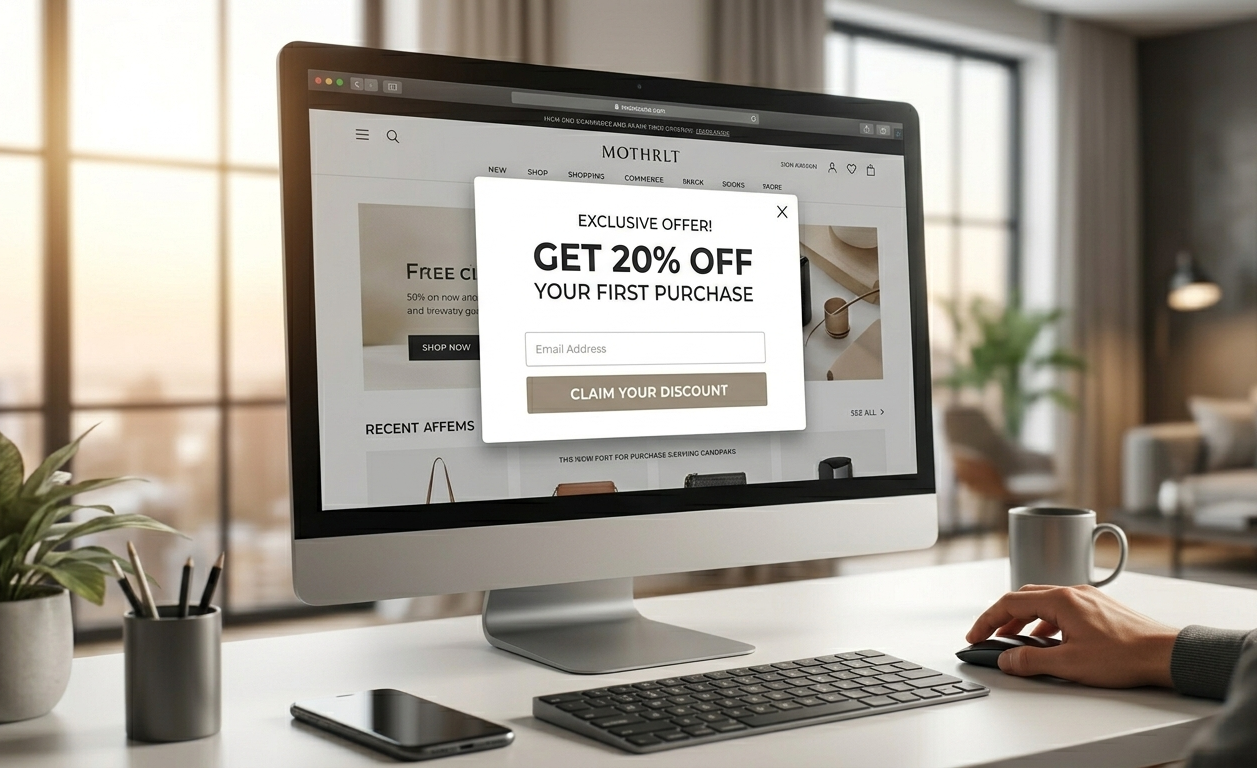
A popup is an overlay that appears on top of page content, triggered by a specific visitor action, moving toward the close button, scrolling to a certain depth, or spending a set amount of time on a page. A banner is a static or animated element that is embedded directly into the page layout and is always visible.
That one structural difference changes everything about how each format performs.
Popup
Banner
What it is
Overlay that appears on top of page content
Static or animated element built into the page layout
How it appears
Triggered by visitor behaviour (exit intent, scroll, time delay)
Always visible, loads with the page
Visitor attention
Forces full attention; everything else is dimmed
Passive, competes with all other page elements
Dismissible
Yes, the visitor must actively close or engage
No, it stays until the page changes
Best for
Email capture, offers, cart recovery, lead generation
Brand awareness, promotions, and ongoing announcements
Avg conversion / CTR
4%–11.09% conversion rate
~0.46% avg display CTR
The core distinction: a popup demands a decision. A banner invites a glance. One of these is significantly more useful when you need a visitor to actually do something.
How Do Popup and Banner Conversion Rates Actually Compare?
The honest answer: it is not a close comparison. Popups convert 40–100x higher than display banners on the same conversion goals. The average popup conversion rate is 3.49% across 10,000+ campaigns (Popupsmart 2026 Benchmark Report), with top-performing campaigns reaching 11.09%–28%+. The average banner CTR is 0.06%, meaning 99.9% of banner impressions generate zero engagement. Here is what the data shows:
Metric
Popup
Banner / Display Ad
Average conversion / CTR
4%–11.09%
~0.46% avg display CTR
Top performing campaigns
28%+ (exit intent, cart abandonment)
0.7% retargeting display, best case
Cart abandonment recovery
17.12% avg on cart pages
Not applicable — banners cannot trigger on behaviour
Click-triggered interactions
54.42% (when visitor initiates)
Not applicable
Email capture rate
2.1%–9.8% depending on format
Rarely used for direct email capture
Sources: Wisepops (1 billion popup displays, 2026), OptiMonk (2026), Google Ads Display Benchmarks via Store Growers (2026)
The reason the gap is this large comes down to one thing: banner blindness. Visitors have trained themselves, unconsciously, to filter out anything on a webpage that looks like a fixed ad. A popup cannot be filtered out. It appears front-and-center and requires a response.
What Is Banner Blindness and Why Does It Matter?
Banner blindness is the psychological tendency for web users to unconsciously ignore elements that look like traditional ads, particularly static banners in fixed positions like the top, right sidebar, or footer of a page.
This is not just anecdotal. Research from Infolinks found that 86% of consumers experience banner blindness, and given the accelerating pace of digital advertising since that study, the real 2026 figure is likely higher. A separate analysis found that less than 14% of web users notice banner ads at all, and only 2.8% consider the banner they're shown to be relevant to them. The average banner CTR has dropped from 1% in the early 2000s to 0.05%–0.06% today, a 94% collapse in effectiveness over two decades.
The practical implication for website banner vs popup for lead generation is significant: if you are running a "Get 20% Off" offer as a static banner, a large portion of your visitors will scroll past it every visit without it registering. Run the same offer as an exit intent popup, and the visitor is physically unable to scroll past it. They have to make a decision.
A/B tests run across e-commerce and SaaS sites consistently show the same outcome, the same offer, the same copy, run as a sticky bar versus an exit intent popup, with the popup outperforming every time. The banner-style format gets ignored. The popup gets acted on.
When Should You Use a Popup vs a Banner on Your Website?
Use a popup when you need the visitor to take a specific action. Use a banner when you need passive, persistent visibility. These two goals are genuinely different and neither format is wrong; they are just wrong when used for the other's purpose.
Goal
Best Format
Why
Capture email addresses
Popup
Demands attention, offer is focused and can't be ignored
Recover abandoning visitors
Exit intent popup
Must intercept the visitor before they physically leave
Announce a sale or promotion
Sticky bar (banner-style)
Non-intrusive, always visible, no interruption needed
Free shipping threshold reminder
Sticky bar
Persistent visibility without forcing a decision
Offer a first-visit discount
Welcome popup
Grabs attention before the visitor scrolls past the offer
Blog post or content announcement
Announcement bar / banner
Low urgency, no action needed, just awareness
Cart abandonment recovery
Exit intent popup
High urgency, one-shot window to change the visitor's mind
Brand awareness campaign
Banner
Impression-based, no specific action required
The important pattern here: any time the word "capture," "recover," or "convert" describes your goal, you need a popup. Any time the word "remind," "announce," or "inform" describes your goal, a banner or sticky bar is the right tool.
This is the framework behind website banner vs popup for lead generation decisions. Lead generation is an action goal, which means it belongs in a popup, not a banner.
[H2] Popup vs Banner vs Sticky Bar: Which One Should You Use?
The sticky bar sits between the two, and understanding where it belongs clears up a lot of confusion about which format to use for which situation.
A sticky bar is a slim, persistent bar fixed to the top or bottom of the screen that stays visible as the user scrolls. It behaves like a banner (always on, non-intrusive, no trigger) but it is designed as a conversion tool with a CTA. Think of it as a banner that was built with intent, rather than just awareness.
Popup
Sticky Bar
Banner
Interruption level
High — overlays all content
Low — sits at the edge of the screen
None — part of page layout
Avg conversion / CTR
4%–11.09%
2–4%
~0.46%
Best for
Offers, email capture, cart recovery
Ongoing promotions, announcements
Brand awareness, passive promotion
User experience risk
Higher if poorly timed
Very low
None
Dismissible
Yes — close button
Yes (usually)
No
Timing
Triggered by behaviour
Always visible
Always visible
The strongest strategy for most websites is to run both a sticky bar and a popup simultaneously; they do not compete. Use the sticky bar for an ongoing promotion or free shipping threshold that every visitor should see passively. Use the popup for the one conversion goal that matters most right now: email capture, trial offer, cart recovery. The popup vs sticky bar combination covers both ends of the intent spectrum without one cannibalising the other.
For popup builder for SaaS websites, this combination is especially effective: a sticky bar for a trial CTA that is always visible, and an exit intent popup for visitors spending time on the pricing page who are about to leave without converting.
For popup builder for ecommerce websites, the combination looks like: sticky bar announcing free shipping on orders above a threshold, plus an exit intent popup on the cart page with a timed discount.
Real Example: Popup vs Banner for Email Capture (Side-by-Side)
Same website. Same offer. Same copy. Two formats, banner and popup. The results:
Banner Version
Popup Version
Placement
Static top-of-page banner, always visible
Exit intent popup, centre screen, full attention
Offer
"Get 15% off, sign up."
"Get 15% Off Your First Order, Today Only."
Trigger
Always on, loads with the page
Fires when visitor's cursor moves toward the close button
Email capture rate
~0.3% of visitors
~4.8% of visitors
Key difference
Visitor scrolls past it without registering the offer
Visitor must actively dismiss or engage — no scrolling past
16x difference in email capture rate. Same offer, same page, same traffic. The only variable was the format and the trigger.
This is the clearest illustration of why exit intent popup vs banner comparisons are not even close for website banner vs popup for lead generation goals. The banner asks. The popup requires a response.
This is also the reason that choosing the right popup templates matters, a well-designed exit intent popup with the right copy and a clear CTA outperforms even the most prominently placed banner on the same page, every time.
Does Using a Popup Instead of a Banner Hurt Your SEO?
No, using a popup does not hurt your SEO when it is implemented correctly.
Google's official position targets only "intrusive interstitials", specifically, popups that block the main content on mobile devices immediately on page load. This is a very specific technical scenario, not a blanket penalty on all popups.
Here is the clear breakdown:
Banners: Zero SEO risk, embedded in the page, no interstitial behaviour
Sticky bars: Zero SEO risk, persistent but non-blocking
Popups: Near-zero SEO risk when three conditions are met:
Not fired on page load on mobile immediately (use a minimum 5-second delay or trigger on exit intent or scroll)
Does not cover the full screen on mobile on the initial load
Uses a lightweight script that loads asynchronously, no page rendering block
SuperPopups' embed script is under 50KB and loads asynchronously — your page content renders first, the popup fires after. Core Web Vitals scores (LCP, CLS, INP) are unaffected. Google replaced FID with INP (Interaction to Next Paint) as a Core Web Vitals metric in March 2024 — the correct current acronym is INP, not FID. Your organic rankings stay clean.
The bottom line: switching from a static banner to a well-timed popup does not cost you SEO performance. But it can gain you 10–40x the conversion rate on the same offer. That trade-off is not even a debate.
Final Thought
Popups and banners are not competitors; they serve genuinely different purposes. If your goal is passive visibility and brand awareness, a banner or sticky bar does the job without interrupting the visitor experience. If your goal is getting a visitor to sign up, claim a discount, start a trial, or not abandon their cart, a popup is the right tool and the conversion data makes that conclusion straightforward.
The good news: you do not have to choose one over the other. Using a sticky bar for passive promotion alongside a targeted popup for your primary conversion goal is the most effective combination for any website, SaaS, ecommerce, or otherwise.
SuperPopups lets you build all three formats - exit intent popups, email capture popups, and sticky bars, using a no-code popup maker with a visual editor, a library of popup templates, and a built-in analytics dashboard. Free to start, live in under 10 minutes, no developer required.
FAQs
1) What is the difference between a popup and a banner?
A popup is a triggered overlay that appears on top of page content when a visitor performs a specific action, moving the cursor toward the close button, scrolling a set depth, or spending time on a page. A banner is a static or animated element embedded in the page layout that is always visible. Popups force attention and require a response. Banners compete passively for a glance.
2) Which converts better, a popup or a banner?
Popups convert significantly better. The average popup conversion rate is 4%–11.09%, depending on type and targeting. The average banner ad conversion rate (display CTR) is ~0.46%, dropping to as low as 0.06% for standard static banners. Exit intent popups on cart pages convert at 17.12%. The gap exists because popups demand focused attention while banners are ignored due to banner blindness.
3) When should I use a popup instead of a banner?
Use a popup when your goal requires a visitor to take a specific action, email sign-up, discount claim, free trial start, or cart recovery. Use a banner or sticky bar for passive awareness goals: sale announcements, free shipping reminders, event countdowns. Any conversion goal that needs the visitor to do something belongs in a popup, not a banner.
4) What is banner blindness?
Banner blindness is the psychological tendency for web users to unconsciously ignore elements that look like traditional ads, particularly those in fixed positions like top banners and sidebars. Research shows 86% of consumers experience it. It is the primary reason display banner CTR has stayed below 0.5% for years, while popups, which cannot be scrolled past or ignored, continue to convert at 10–100x higher rates.
5) Is a sticky bar a popup or a banner?
A sticky bar sits between the two. It behaves like a banner, always visible, non-intrusive, no trigger required, but it is purpose-built as a conversion tool with a headline and a CTA button. It is less interruptive than a popup but more conversion-focused than a traditional banner. Popup vs announcement bar use cases differ here: sticky bars are best for ongoing promotions and free shipping thresholds; popups are best for time-sensitive, action-required goals.
6) Which is better for e-commerce, popup or a banner?
For e-commerce, popup for website conversions consistently outperform banners on every actionable goal: email capture, cart abandonment recovery, first-order discounts, and exit-intent offers. Banners work for brand awareness and passive promotion. For any goal measured by email sign-ups, discount code claims, or recovered carts, a popup wins by a margin that makes the comparison straightforward. A no-code popup maker like SuperPopups lets you build and test both formats to verify this with your own audience data.
Last updated on:
April 21, 2026
SuperPopups Team
The SuperPopups Team is a collective of writers and growth marketers who blend storytelling with conversion strategy. We break down complex CRO, popup optimization, and on-site engagement tactics into clear, practical content that teams can actually use. Our mission is simple: create helpful, data-driven resources that empower businesses to boost conversions, improve user experience, and grow smarter.
More Articles
May 22, 2026
13
Min Read Time
How to Set Up a Popup Funnel That Nurtures Visitors from First Visit to Conversion
Learn how to set up a popup funnel that nurtures visitors from first visit to conversion with the right popup strategy, timing, and offers.
How to Use Popups with Google Ads Landing Pages Without Hurting Quality Score
Popups can hurt your Google Ads Quality Score, but only the wrong ones. Learn which popup formats are safe for PPC landing pages and how to set them up.
What Is Popup Fatigue and How to Avoid It on Your Website
Popup fatigue kills conversions silently. Learn what it is, what causes it, and 6 proven fixes to avoid it on your website without removing your popups.
Sleeknote Alternatives: Best Popup Builders to Consider in 2026
Sleeknote too expensive? Discover the 4 best popup builder alternatives in 2026, one is free forever. Compare features, pricing & find the right fit for you.
Popups for Online Coaches and Course Creators: Grow Your List and Sell More Courses
Coaches lose leads daily from visitors who don't subscribe or enroll. Learn how popups for online coaches grow your list and sell more courses, FREE with SuperPopups.
Popup for Restaurant Websites: How to Drive More Reservations and Signups
Do restaurant websites need popups? Yes, they convert menu browsers into table bookings and email signups. See which popup types work best, free with SuperPopups.
Popup for Real Estate Websites: How Agents Capture More Leads Online
Real estate agents lose leads daily from property browsers who don't enquire. Learn how a popup for real estate websites captures more leads free with SuperPopups.
Cart Abandonment vs Exit Intent: What's the Difference and Which Should You Use?
Cart abandonment popups convert at up to 17% on cart pages. Exit intent works on every page. Learn the real difference and when to use each, plus how to set both up free.
How to Use Popups to Grow a Shopify Store: Complete 2026 Strategy Guide
Want to grow your Shopify store with popups? This 2026 guide covers every popup type, trigger, placement & setup, email capture, exit intent, cart abandonment & more.
How to Add a Popup to Wix Without a Plugin (No Code)
Learn how to add a popup to Wix without a plugin using no-code methods. Follow our simple step-by-step guide to create stunning popups on your Wix website fast.
How to Add a Popup to Your Squarespace Website (No Code)
Learn how to add a popup to your Squarespace website without any code or plugin. Use SuperPopups to launch email capture, exit intent & discount popups in minutes.
How to Use Popups on Blog Posts Without Hurting Readership
Learn how to add popups to blog posts without hurting readership. Timing, triggers & placement tips to grow your email list while keeping readers engaged.
Free Popup Builder for Small Businesses: Best No-Cost Tool in 2026
The best free popup builder for small businesses in 2026, No credit card, no code, no expiry. Capture emails, recover abandoning visitors, and grow sales from day one.
Popup Templates: How to Choose the Right Design for Your Goal
Discover how to choose the right popup templates for your goal. Explore popup design tips to boost conversions, grow leads, and engage visitors effectively.
How to Create a Popup for Your WordPress Website (Free, No Plugin Required)
Create a popup for your WordPress website in under 5 minutes, free, no plugin, no coding. Step-by-step setup guide using a lightweight script that won't slow your site.
How to Use Popups to Promote Flash Sales and Limited-Time Offers
Learn how to use flash sale popups to drive urgency, boost conversions, and promote limited-time offers, with countdown timers, triggers, and real examples.
Newsletter Popup: How to Get More Subscribers Without Being Annoying
Learn how to use a newsletter popup to grow your subscriber list fast, without annoying visitors. Tips to boost signups while keeping your user experience smooth.
Do Popups Affect SEO? How to Use Them Without Getting Penalized
Popups don't hurt SEO, unless they break one Google rule. Learn which popups trigger the intrusive interstitial penalty and how to use them safely in 2026.
Add a popup to your Shopify store without installing an app. One lightweight script, no code, no App Store fees, live in under 10 minutes. Here's exactly how to do it.
Popup vs Banner: What's the Difference and Which Converts Better?
Popup vs banner, what's the difference, and which converts better? Compare both formats and find out which drives more leads, clicks, and sales for your website.
Learn how to write popup copy that converts, headline formulas, CTA button text, and micro-copy tips backed by data. First-person CTAs alone can lift clicks by 90%.
Popup for Ecommerce: How to Use Popups to Increase Sales
70% of shoppers abandon their cart. Ecommerce popups fix that. Learn which popup types convert best, what to offer, and how to set one up in under 10 minutes.
Learn how to reduce bounce rate with exit intent popups. Discover proven strategies to re-engage leaving visitors and boost conversions on your website.
How to Use Popups for Lead Generation (Complete Guide)
Learn how to use popups for lead generation with proven strategies, timing tips, and design best practices to capture more leads and grow your email list fast.
Popup Conversion Rate: What's a Good Rate & How to Improve It
Learn what a good popup conversion rate is, industry benchmarks, and proven tips to improve your popup performance and boost conversions. Start optimizing today.
Email Capture Popup: How to Grow Your Email List Faster
Learn how email capture popups grow your email list faster. Types, triggers, best practices & real examples. Start converting visitors into subscribers today.
How to Add a Popup to Your Website in 5 Minutes (No Code)
Learn how to add a popup to your website in just 5 minutes, no coding required. Step-by-step guide to launch your first popup and capture more leads today.
No-Code Popup Builder: What It Is & Why It Matters (2026)
A no-code popup builder lets you create exit intent, email capture & discount popups without coding. Learn what it is, how it works & why it matters in 2026.
Looking for the best popup builder for Shopify? This 2026 guide covers top tools for exit intent popups, email capture, discount popups, and cart abandonment, with free plan options included.
Popup Design Best Practices: UI, UX & Psychology for Higher Conversions 2026
Popup design best practices 2026: UI, UX, and psychology tips to create high‑converting popups that reduce friction, boost engagement, and respect user experience.
Popup Builder vs WordPress Popup Plugin: Which is Better in 2026?
WordPress popup plugins slow your site 30-50%. Script-based builders like SuperPopups are faster, flexible, and work on any platform. Free plan available.
Top 5 OptinMonster Alternatives to Boost Conversions in 2026
Looking for the best OptinMonster alternatives? Find top 5 powerful popup and lead generation tools for 2026 with features, pricing, and tips to boost conversions
What Is a Lightbox Popup and Why SaaS Businesses Should Use It?
Learn what a lightbox popup is and why it is most importance for SaaS businesses. Know about its benefits, examples, and tools to increase sign-ups and engagement.
Find the top 10 best popup builders of 2025 to boost conversions, capture leads, and reduce cart abandonment. Compare features and pricing to choose the right popup software for your website.
What Are the Types of Website Popups? The Complete Guide for SaaS Businesses in 2025
Learn the different types of popups, designed to boost conversions without ruining user experience. And how SuperPopups help your SaaS business growth.
SuperPopups vs. OptiMonk: Complete Comparison Guide 2026
Compare SuperPopups vs. OptiMonk to find the best popup builder for your business. Find key differences in pricing, features, ease of use, and conversion performanceupdated for 2025.
Find the Webflow powerful pop-up builder tool to boost conversions, capture leads, and enhance user engagement without coding. Easily create, customize, and manage popups in Webflow.


.jpg)

.avif)








.jpg)










.jpg)






.jpg)

.jpg)
.jpg)


.jpg)







