Popup Builder vs WordPress Popup Plugin: Which is Better in 2026?
March 10, 2026
10:00
Min Read Time
A popup builder is a script-based SaaS tool that works on any website, WordPress, Shopify, Webflow, or custom. A WordPress popup plugin installs directly into your WordPress admin and only works on WordPress. In 2026, script-based popup builders outperform WordPress plugins on speed, flexibility, security, and cost.
If you're choosing between a popup builder and a WordPress popup plugin, here's the straightforward answer: use a script-based popup builder like SuperPopups if you care about site speed, platform flexibility, or plan to scale beyond WordPress. Use WordPress plugins only if you have a single WordPress site, don't mind performance impact, and are okay with platform lock-in.
When comparing a WordPress popup plugin vs popup builder, script-based solutions win on nearly every metric: performance (<50KB vs 200–500KB), multi-platform support (WordPress + Shopify + Webflow), 5-minute setup, all features included, no database bloat, better security, and future-proof flexibility. WordPress popup plugins may seem convenient upfront, but they carry hidden costs, both in dollars and site performance.
Why Are WordPress Popup Plugins Frustrating? (4 Major Issues)
If you've installed a WordPress popup plugin before, you've likely experienced at least one of these problems. Understanding WordPress popup plugin performance issues is crucial before making your decision.
1. Site Speed: Do WordPress Popup Plugins Slow Down Your Website?
WordPress popup plugins are performance killers. Most plugins load 200-500KB of JavaScript and CSS on every page, even where popups aren't displayed. They add database bloat (every configuration stored in your WordPress database), create 5-15 additional HTTP requests, and use render-blocking scripts that hurt your Core Web Vitals scores.
For eCommerce sites, this performance gap is especially costly, a 1-second delay in page load time reduces conversions by 7%, meaning a slow popup plugin is actively costing you revenue. That's enough to hurt your Google rankings and increase bounce rates.
2. Platform Lock-In: Your Popups Only Work on WordPress
This is the hidden cost most people don't consider. When you build popups with a WordPress plugin, they're permanently stuck in WordPress. What happens when you launch a Shopify store, build a Webflow landing page, or migrate to a headless CMS? You start from scratch. One agency owner reported it cost $2,000+ in designer time to recreate 15 popups when expanding from WordPress to Shopify.
If you're deciding between a WordPress popup plugin vs popup builder for a growing business, platform lock-in is the single most important factor to consider. External builders work on WordPress today and on Shopify, Webflow, or any custom site tomorrow, with zero migration needed. External builders offer the flexibility WordPress plugins simply can't match.
WordPress plugins are common entry points for hackers. In 2020, a critical vulnerability (CVE-2020-10196) affected over 100,000 sites using a popular WordPress popup plugin. These WordPress popup plugin security issues are real and ongoing; each plugin adds potential security holes, requires constant updates, and abandoned plugins become major risks.
Script-based popup builders eliminate these risks by running independently from your WordPress installation, with no direct access to your database or server files.
4. Hidden Costs: "Free" Plugins Require $200+/Year in Add-Ons
Most WordPress popup plugins use a "freemium trap" business model. The base plugin is free, but every useful feature requires a paid add-on:
Exit intent technology: $29/year
A/B testing: $39/year
Premium templates: $19/year
Advanced analytics: $19/year
Email integrations: $29/year
Remove branding: $49/year
Total first-year cost: $184–209/year for WordPress-only functionality with limited features, compared to $0 on SuperPopups' free plan which includes exit intent, targeting rules, and 1,000 views/month with no add-ons required.
Popup Builder vs WordPress Plugin: Complete Comparison
When conducting a thorough WordPress popup plugin comparison, here's how the two solutions stack up side-by-side:
Feature
WordPress Plugin
Popup Builder
Performance Impact
High (200-500KB)
Lightweight
Platform Support
WordPress only
WordPress, Shopify, Webflow, Wix, custom
Exit Intent
Basic (often paid add-on)
Advanced (built-in)
Security Updates
Manual
Automatic (cloud-managed)
Ease of Use
Varies by plugins
Simple and beginner-friendly
Popup Templates
Include pre-built but Paid
Free pre-built popup templates
Customization
Basic customization
Advance with design option
Free Plan
Limited (1-2 types)
Generous (1,000 views/mo)
Annual Cost
$0-209+ (with add-ons)
$0-348 (all features)
Winner: Script-based popup builders offer better value, performance, and flexibility for nearly every use case.
How Much Do WordPress Popup Plugins Slow Your Site?
Performance isn't just about user experience; it directly impacts your Google search rankings. Let's look at real data.
Performance Metrics Comparison
Metric
WordPress Plugin
SuperPopups
Difference
Script Size
200-500KB
<50KB
90% smaller
Page Load Time
+1.2-2.5 seconds
+0.1-0.3 seconds
87% faster
Database Queries
+5-15 queries
0 queries
No impact
PageSpeed Score
-15 to -25 points
-2 to -5 points
5x better
Core Web Vitals Impact
Google's Core Web Vitals are now a ranking factor. WordPress plugins hurt three key metrics:
Largest Contentful Paint (LCP): Plugins add 0.5-1.5 seconds by loading heavy scripts before main content
First Input Delay (FID): Complex JavaScript delays user interaction by 50-100ms
Cumulative Layout Shift (CLS): Poorly coded plugins cause layout shifts when popups load
SuperPopups advantages: Async loading means zero LCP impact, lightweight script keeps FID under 100ms, and proper implementation prevents layout shifts.
5 Reasons SuperPopups is the Best Popup Builder for WordPress
After comparing WordPress popup plugins with script-based popup builders, here's why SuperPopups wins:
1. Blazing Fast Performance (<50KB vs 200-500KB)
SuperPopups loads asynchronously at less than 50KB—90% lighter than WordPress popup plugins. No impact on page load time, no damage to Core Web Vitals, better Google rankings, lower bounce rates. Your WordPress site stays fast regardless of how many popup campaigns you run.
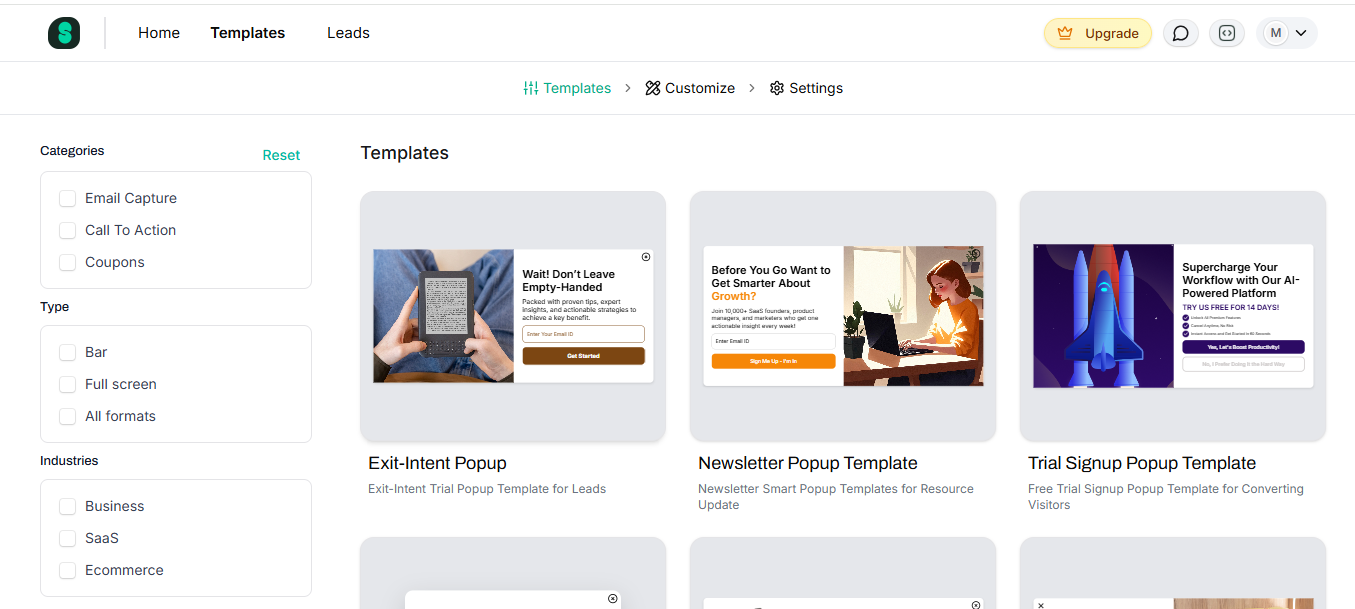
You can create a professional popup in 2-3 minutes, not 20-30 minutes fighting with WordPress plugin settings. Browse our extensive pop up template library to find designs that match your brand.
3. Works on Any Platform (Not Just WordPress)
This is the game-changer: SuperPopups works on WordPress, Shopify, Webflow, Wix, custom HTML sites, React/Vue apps, and headless WordPress setups. One script, unlimited platforms. Create your popup once, use it everywhere.
If you're evaluating no-code popup builder vs WordPress plugin options, this multi-platform capability is a massive advantage. When you expand beyond WordPress, your popups come with you—no migration, no rebuilding, no headaches.
4. 5-Minute Setup (Not 30+ Minutes)
SuperPopups setup:
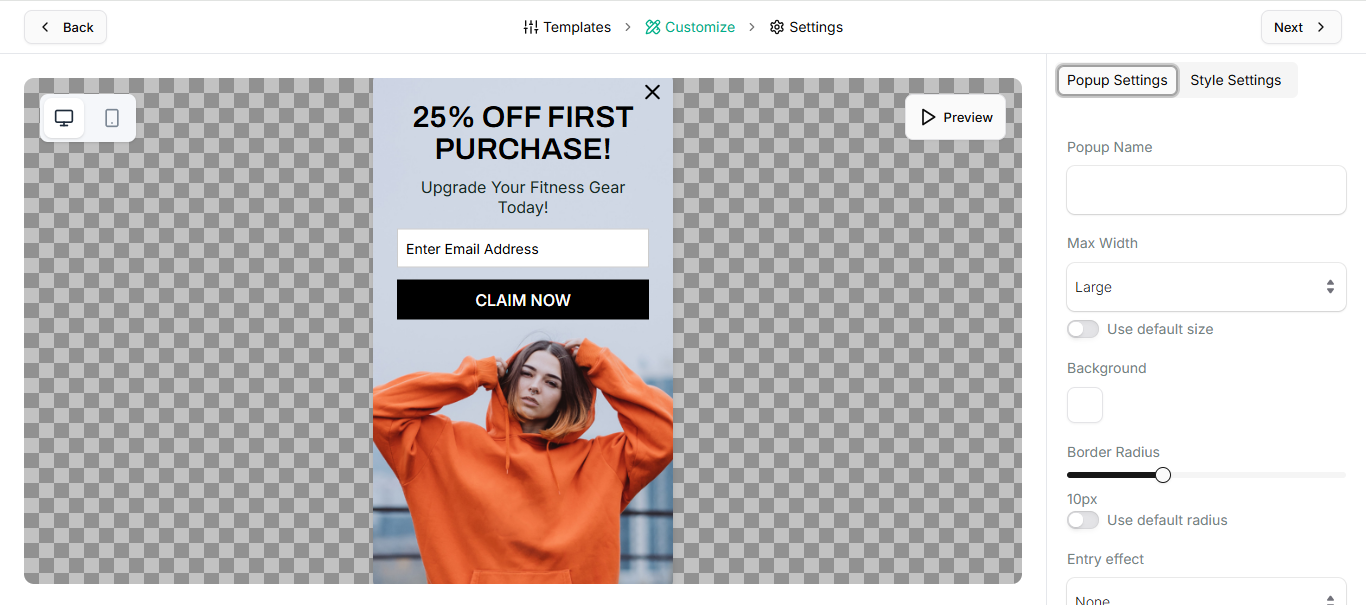
Sign up (1 minute)
Choose template (1 minute)
Customize (2 minutes)
Copy script, paste in WordPress header (1 minute)
Done. No conflicts, no troubleshooting, no developer required.
5. Better Security (No Plugin Vulnerabilities)
Cloud-based architecture means no plugin vulnerabilities, no database access for hackers, automatic updates, 99.9% uptime, and zero manual maintenance. Your WordPress site stays secure.
When Should You Use Each Solution? (Decision Guide)
Use a WordPress Popup Plugin If...
✓ You have exactly one WordPress site (and will never expand) ✓ You don't care about site speed or PageSpeed scores ✓ You're okay with platform lock-in ✓ Limited features are sufficient ✓ You have time for troubleshooting conflicts
Honestly, this applies to fewer than 5% of WordPress users, and if you're reading this comparison, you're almost certainly not in that group.
Use a Popup Builder (Like SuperPopups) If...
✓ You care about site speed and Google rankings ✓ You want multi-platform flexibility ✓ You plan to scale (Shopify, Webflow, etc.) ✓ You need advanced features without paying for add-ons ✓ You want 5-minute setup ✓ You need A/B testing and analytics ✓ You manage multiple sites or run an agency ✓ You want a free plan to try first
If even one applies, choose a script-based popup builder.
Quick Decision Matrix
Your Situation
Recommended Solution
Single WordPress blog
WordPress plugin (free)
WordPress + WooCommerce
SuperPopups
Multi-platform business
SuperPopups
Agency managing sites
SuperPopups
Care about SEO/speed
SuperPopups
Plan to scale
SuperPopups
Frequently Asked Questions
1) What is the difference between a popup builder and WordPress popup plugin?
A popup builder is a script-based SaaS solution that works on any website (WordPress, Shopify, Webflow, custom sites) by embedding a lightweight script. A WordPress popup plugin is software installed in your WordPress admin that only works on WordPress.
Key differences: popup builders work anywhere, are 90% lighter (<50KB), take 5 minutes to set up, and are future-proof. Plugins lock you into WordPress, add 200-500KB load, and require 30+ minutes setup.
2) Can I use SuperPopups on WordPress?
Yes! SuperPopups works perfectly on WordPress. Installation takes 60 seconds: create your popup, copy the script, paste into your WordPress header. It works with all WordPress themes (Elementor, Divi, Gutenberg), WooCommerce, and doesn't conflict with other plugins. You get better performance than WordPress plugins plus multi-platform flexibility.
3) Will popup builders slow down my WordPress site?
No. Unlike WordPress popup plugins that add 200-500KB and increase database queries, SuperPopups loads at <50KB asynchronously with zero database impact. Most sites see improved PageSpeed scores after switching from WordPress plugins to SuperPopups because you're removing the heavy plugin.
4) How do I install a popup builder on WordPress?
Installation takes 5 minutes:
Create your SuperPopups account (free)
Choose template and customize
Copy your unique script code
In WordPress, go to Appearance → Theme Editor
Open header.php
Paste script before closing </head> tag
Update file
Done! No plugins, no conflicts, no troubleshooting.
5) Is there a free popup builder for WordPress?
Yes! SuperPopups offers a generous free plan: 1,000 popup views/month, exit intent popups, email capture, 10+ templates, targeting rules, mobile-responsive designs, email integrations (Mailchimp, Klaviyo), and basic analytics. No credit card required, no time limit, no branding. Upgrade only when you need more views or advanced features.
6) Does a popup builder work with WooCommerce?
Yes. SuperPopups works seamlessly with WooCommerce. Since it's script-based (not a WordPress plugin), it doesn't conflict with WooCommerce or any other plugin. You can target popups to specific product pages, cart pages, or checkout pages — and connect with Mailchimp, Klaviyo, or any email platform via integration.
Final Verdict: Choose Smart
After comparing popup builder vs WordPress popup plugin options across performance, features, flexibility, and cost, the winner is clear. Choose SuperPopups if you want lightning-fast performance (<50KB), 5-minute setup, multi-platform support, all features included, advanced analytics, better security, and a generous free plan.
Choose a WordPress plugin only if you have one WordPress site and will never expand.
The data is clear: businesses that switch see 50% faster load times, 2-3x conversion rate increases, and 80% time savings on management.
The SuperPopups Team is a collective of writers and growth marketers who blend storytelling with conversion strategy. We break down complex CRO, popup optimization, and on-site engagement tactics into clear, practical content that teams can actually use. Our mission is simple: create helpful, data-driven resources that empower businesses to boost conversions, improve user experience, and grow smarter.
More Articles
May 22, 2026
13
Min Read Time
How to Set Up a Popup Funnel That Nurtures Visitors from First Visit to Conversion
Learn how to set up a popup funnel that nurtures visitors from first visit to conversion with the right popup strategy, timing, and offers.
How to Use Popups with Google Ads Landing Pages Without Hurting Quality Score
Popups can hurt your Google Ads Quality Score, but only the wrong ones. Learn which popup formats are safe for PPC landing pages and how to set them up.
What Is Popup Fatigue and How to Avoid It on Your Website
Popup fatigue kills conversions silently. Learn what it is, what causes it, and 6 proven fixes to avoid it on your website without removing your popups.
Sleeknote Alternatives: Best Popup Builders to Consider in 2026
Sleeknote too expensive? Discover the 4 best popup builder alternatives in 2026, one is free forever. Compare features, pricing & find the right fit for you.
Popups for Online Coaches and Course Creators: Grow Your List and Sell More Courses
Coaches lose leads daily from visitors who don't subscribe or enroll. Learn how popups for online coaches grow your list and sell more courses, FREE with SuperPopups.
Popup for Restaurant Websites: How to Drive More Reservations and Signups
Do restaurant websites need popups? Yes, they convert menu browsers into table bookings and email signups. See which popup types work best, free with SuperPopups.
Popup for Real Estate Websites: How Agents Capture More Leads Online
Real estate agents lose leads daily from property browsers who don't enquire. Learn how a popup for real estate websites captures more leads free with SuperPopups.
Cart Abandonment vs Exit Intent: What's the Difference and Which Should You Use?
Cart abandonment popups convert at up to 17% on cart pages. Exit intent works on every page. Learn the real difference and when to use each, plus how to set both up free.
How to Use Popups to Grow a Shopify Store: Complete 2026 Strategy Guide
Want to grow your Shopify store with popups? This 2026 guide covers every popup type, trigger, placement & setup, email capture, exit intent, cart abandonment & more.
How to Add a Popup to Wix Without a Plugin (No Code)
Learn how to add a popup to Wix without a plugin using no-code methods. Follow our simple step-by-step guide to create stunning popups on your Wix website fast.
How to Add a Popup to Your Squarespace Website (No Code)
Learn how to add a popup to your Squarespace website without any code or plugin. Use SuperPopups to launch email capture, exit intent & discount popups in minutes.
How to Use Popups on Blog Posts Without Hurting Readership
Learn how to add popups to blog posts without hurting readership. Timing, triggers & placement tips to grow your email list while keeping readers engaged.
Free Popup Builder for Small Businesses: Best No-Cost Tool in 2026
The best free popup builder for small businesses in 2026, No credit card, no code, no expiry. Capture emails, recover abandoning visitors, and grow sales from day one.
Popup Templates: How to Choose the Right Design for Your Goal
Discover how to choose the right popup templates for your goal. Explore popup design tips to boost conversions, grow leads, and engage visitors effectively.
How to Create a Popup for Your WordPress Website (Free, No Plugin Required)
Create a popup for your WordPress website in under 5 minutes, free, no plugin, no coding. Step-by-step setup guide using a lightweight script that won't slow your site.
How to Use Popups to Promote Flash Sales and Limited-Time Offers
Learn how to use flash sale popups to drive urgency, boost conversions, and promote limited-time offers, with countdown timers, triggers, and real examples.
Newsletter Popup: How to Get More Subscribers Without Being Annoying
Learn how to use a newsletter popup to grow your subscriber list fast, without annoying visitors. Tips to boost signups while keeping your user experience smooth.
Do Popups Affect SEO? How to Use Them Without Getting Penalized
Popups don't hurt SEO, unless they break one Google rule. Learn which popups trigger the intrusive interstitial penalty and how to use them safely in 2026.
Add a popup to your Shopify store without installing an app. One lightweight script, no code, no App Store fees, live in under 10 minutes. Here's exactly how to do it.
Popup vs Banner: What's the Difference and Which Converts Better?
Popup vs banner, what's the difference, and which converts better? Compare both formats and find out which drives more leads, clicks, and sales for your website.
Learn how to write popup copy that converts, headline formulas, CTA button text, and micro-copy tips backed by data. First-person CTAs alone can lift clicks by 90%.
Popup for Ecommerce: How to Use Popups to Increase Sales
70% of shoppers abandon their cart. Ecommerce popups fix that. Learn which popup types convert best, what to offer, and how to set one up in under 10 minutes.
Learn how to reduce bounce rate with exit intent popups. Discover proven strategies to re-engage leaving visitors and boost conversions on your website.
How to Use Popups for Lead Generation (Complete Guide)
Learn how to use popups for lead generation with proven strategies, timing tips, and design best practices to capture more leads and grow your email list fast.
Popup Conversion Rate: What's a Good Rate & How to Improve It
Learn what a good popup conversion rate is, industry benchmarks, and proven tips to improve your popup performance and boost conversions. Start optimizing today.
Email Capture Popup: How to Grow Your Email List Faster
Learn how email capture popups grow your email list faster. Types, triggers, best practices & real examples. Start converting visitors into subscribers today.
How to Add a Popup to Your Website in 5 Minutes (No Code)
Learn how to add a popup to your website in just 5 minutes, no coding required. Step-by-step guide to launch your first popup and capture more leads today.
No-Code Popup Builder: What It Is & Why It Matters (2026)
A no-code popup builder lets you create exit intent, email capture & discount popups without coding. Learn what it is, how it works & why it matters in 2026.
Looking for the best popup builder for Shopify? This 2026 guide covers top tools for exit intent popups, email capture, discount popups, and cart abandonment, with free plan options included.
Popup Design Best Practices: UI, UX & Psychology for Higher Conversions 2026
Popup design best practices 2026: UI, UX, and psychology tips to create high‑converting popups that reduce friction, boost engagement, and respect user experience.
Popup Builder vs WordPress Popup Plugin: Which is Better in 2026?
WordPress popup plugins slow your site 30-50%. Script-based builders like SuperPopups are faster, flexible, and work on any platform. Free plan available.
Top 5 OptinMonster Alternatives to Boost Conversions in 2026
Looking for the best OptinMonster alternatives? Find top 5 powerful popup and lead generation tools for 2026 with features, pricing, and tips to boost conversions
What Is a Lightbox Popup and Why SaaS Businesses Should Use It?
Learn what a lightbox popup is and why it is most importance for SaaS businesses. Know about its benefits, examples, and tools to increase sign-ups and engagement.
Find the top 10 best popup builders of 2025 to boost conversions, capture leads, and reduce cart abandonment. Compare features and pricing to choose the right popup software for your website.
What Are the Types of Website Popups? The Complete Guide for SaaS Businesses in 2025
Learn the different types of popups, designed to boost conversions without ruining user experience. And how SuperPopups help your SaaS business growth.
SuperPopups vs. OptiMonk: Complete Comparison Guide 2026
Compare SuperPopups vs. OptiMonk to find the best popup builder for your business. Find key differences in pricing, features, ease of use, and conversion performanceupdated for 2025.
Find the Webflow powerful pop-up builder tool to boost conversions, capture leads, and enhance user engagement without coding. Easily create, customize, and manage popups in Webflow.




.avif)








.jpg)










.jpg)



.jpg)





.jpg)

.jpg)
.jpg)

.jpg)







