Popup Design Best Practices: UI, UX & Psychology for Higher Conversions 2026
March 16, 2026
10:00
Min Read Time
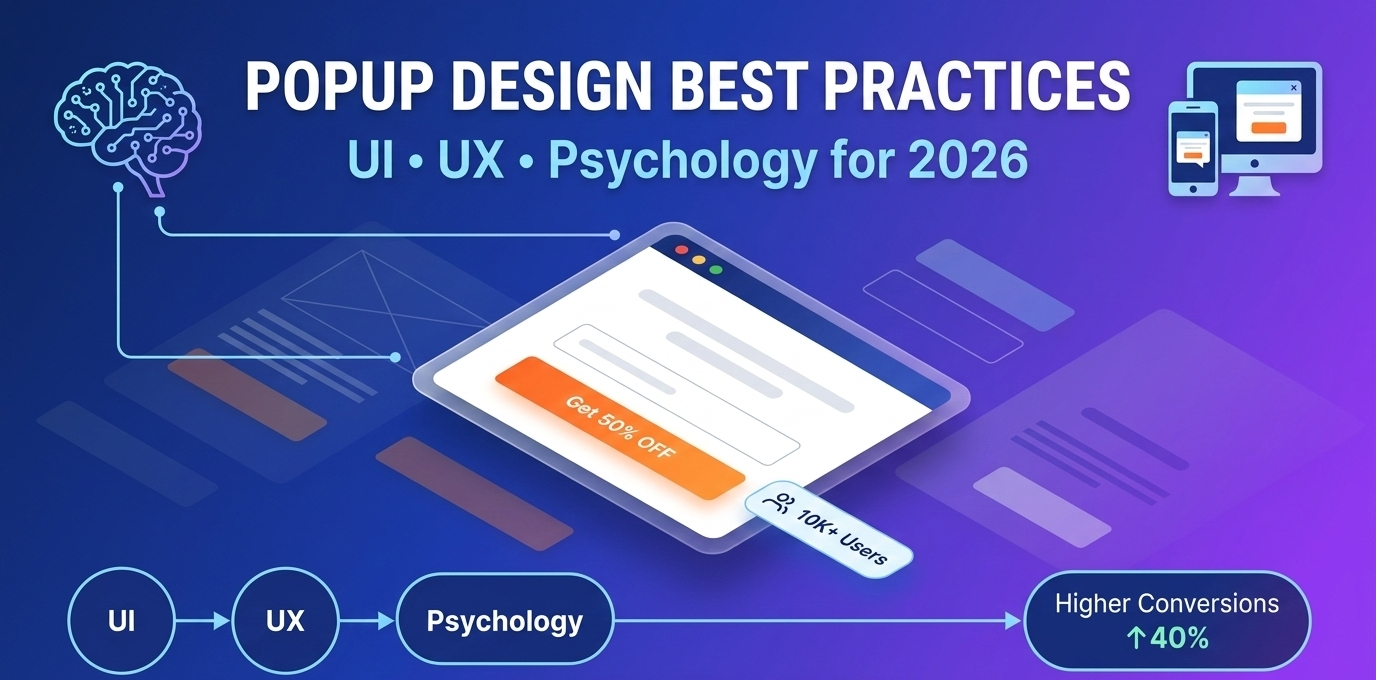
Popups can be a double-edged sword. Get the design wrong, and visitors bounce faster than you can say "annoying interstitial." Get it right, and you could see 3.49% average conversion rates – with top performers hitting 10-15%. That's the difference between a popup that drives leads and one that kills trust.
In 2026, no-code popup builder popup design best practices aren't just about pretty visuals. The difference between a popup that converts at 2% and one that converts at 8% isn't the offer, it's the design. Combining the right popup UI design, smart popup UX best practices, and proven popup psychology principles creates experiences visitors actually engage with, across desktop, mobile, and every platform.
Ready to design high converting popups? Let's dive in.
What Makes a High-Converting Popup? (Data-Backed Answer)
High converting popups share three core pillars: popup UI design that grabs attention, popup UX best practices that respect users, and popup psychology that triggers action. But what does the data say?
Timing & Context (UX): Right place, right time, easy to dismiss
Behavioral Triggers (Psychology): Scarcity, social proof, micro-commitments
These pillars work together. A beautiful popup shown at the wrong time converts 2.1%. The same popup with smart timing? 8.3%.
Conversion Rate Benchmarks by Industry (2026 Data)
Industry
Avg Popup Conversion Rate
Top 10% Performers
Best Popup Type
eCommerce
3.8%
12.4%
Exit-intent
SaaS
4.2%
14.7%
Micro-commitment
Blogs/Media
2.9%
9.2%
Email capture
Agencies
5.1%
18.3%
Free resource
Events
6.8%
22.1%
Countdown urgency
Data from 10,000+ campaigns analyzed in 2025
Which 5 Popup Design Elements Increase Conversions by 40%+?
Exit-intent triggers (+47% vs time-delay): Fire when visitors are about to leave, converting 47% better than time-delay triggers on pricing and product pages
Micro-commitments (8-9x better than direct forms): Multi-step popups that ask a yes/no question first, then reveal the email field, converting 8–9x better than direct single-step forms
Social proof (testimonials boost +32%): Adding subscriber counts or testimonials ('Join 14,000+ subscribers') boosts conversions by 32%
Personalization (+53% when relevant): Showing page-specific offers relevant to what the visitor is reading converts 53% higher than sitewide generic popups
Popup UI Design Best Practices: Visual Elements That Convert
Popup UI design is your first impression. Users decide in 2.6 seconds whether to engage or close. Here's how to nail it.
Clean Layout & Visual Hierarchy
Follow the F-pattern or Z-pattern for eye flow:
Headline (24-32px, bold) → Value proposition
Sub-headline (18-20px) → Supporting benefit
CTA button → Dominant visual element
Close button (X icon, top-right, 20x20px minimum)
Do: 60% white space, single focal point Don't: Cluttered text, competing elements
Example: A clean email capture popup converts 4.2% vs 1.8% cluttered version.
Color Psychology for Popup Conversions
Colors aren't random – they trigger emotions:
Color
Psychology Effect
Best Use Case
Conversion Impact
Red
Urgency, action
Exit-intent discounts
+28% (urgency)
Green
Success, safety
"Claim your free trial"
+22% (trust)
Blue
Trust, professionalism
SaaS signups
+18% (credibility)
Orange
Energy, impulse
eCommerce cart recovery
+25% (impulse)
Black
Premium, authority
High-ticket offers
+15% (luxury)
Pro tip: High contrast against background (4.5:1 ratio for accessibility).
Typography Best Practices: Fonts, Sizes & Readability
Frequency Capping: How Often Should You Show Popups?
Visitor Type
Max Per Session
Max Per Week
Max Per Month
New
1
2
4
Returning
1
1–2
3
Converted
0
0
0
Popup frequency capping prevents fatigue. Use SuperPopups' smart targeting for this.
Mobile Popup Design: Essential UX Considerations
Mobile popup design checklist:
Width: 80-90% screen width max
Position: Bottom-center (thumb-friendly)
Tap targets: 48x48px minimum
Close button: Top-right + swipe down
Background blur: Maintain context awareness
Sites that optimize popup design separately for mobile, rather than using desktop designs scaled down, see 28% higher conversion rates on mobile traffic.
WCAG-compliant popup design converts 15% higher among screen reader users, and accessible design also improves experience for all mobile users, not just those with disabilities. Accessibility and conversion rate optimization are not in conflict; they reinforce each other.
Psychology Principles That Make Popups Convert 3x Better
Popup psychology leverages human behavior. Here's what works in 2026.
1. The Scarcity Principle: Limited-Time Offers & FOMO
"Only 3 spots left!" triggers FOMO popup urgency. Real scarcity (inventory, time limits) works; fake doesn't.
Scarcity principle popup example: "24 hours left for 50% off" → 9.4% conversion.
2. The Reciprocity Rule: Give Before You Ask
Offer value first: free ebook, checklist, discount code. Reciprocity popup users feel obligated to respond.
Design Resources: Templates, Color Tools & Inspiration
Color tools: Coolors.co, Adobe Color
Typography: Google Fonts (Poppins, Inter)
Icons: Feather Icons, Heroicons
Templates: SuperPopups library (free with signup)
FAQs
1) What is the average conversion rate for popups?
Popup conversion rate averages 3.49% across industries. Top 10% performers hit 10-15% with exit-intent and personalization.
2) What makes a popup design effective?
Effective popup design includes clean UI, smart timing, and psychological triggers like social proof and urgency. Mobile optimization is non-negotiable.
3) When should you show a popup to avoid annoying visitors?
Popup timing best practices: After 10-20 seconds, 40-60% scroll depth, or exit-intent. Never on page load.
4) What are the best popup types for conversions?
Exit-intent (highest recovery)
Micro-commitment (8-9x better)
Email capture (consistent 3-5%)
Gamified (15-30% engagement)
5) How do you design popups for mobile?
Mobile popup design: 80% screen width, bottom-center position, 48px tap targets, swipe-to-dismiss, background blur.
6) What colors convert best for popup CTAs?
Popup CTA design: Orange/red on white/light backgrounds. High contrast (4.5:1). Green for "success" actions.
7) How often should you show popups to the same visitor?
Popup frequency capping: Once per session, 1-3x per week max. Never to convert users.
8) Do exit-intent popups work on mobile?
Yes! Detects back button presses and scroll-up behavior. Mobile exit intent popup averages 9.2% recovery.
9) What is micro-commitment in popup design?
Micro commitment popup asks simple yes/no first ("Want a free checklist?"), then captures email. Converts 8-9x better.
10) Should popups have close buttons?
Always! Top-right X (20x20px minimum) + ESC key support. Make dismissal effortless.
11) What's the best popup size for desktop?
400-600px wide, centered or bottom-center. Maintains context while being prominent.
12) Can popups hurt SEO?
Only intrusive interstitials on mobile (Google penalty). Non-fullscreen, dismissible popups are fine.
13) What popup triggers have the highest conversion rates?
Popup design in 2026 is equal parts visual discipline, behavioral intelligence, and psychology. The data is consistent: following these popup design best practices moves the average from 3.49% to double-digit conversion rates, not through tricks, but through respecting how visitors actually think and decide. The data is clear: smartly designed popups deliver 3.49% average conversions – with optimized campaigns hitting 10-15%.
Key takeaways:
Use exit-intent and micro-commitments for highest ROI
Follow mobile popup design and accessibility guidelines
Leverage popup psychology (scarcity, social proof, urgency)
A/B test everything
Use no-code popup builder tools like SuperPopups
Try SuperPopups - No code popup Maker free now, create your first high converting popup in 5 minutes with our drag-and-drop editor, smart triggers, and Various templates.
Last updated on:
April 1, 2026
SuperPopups Team
The SuperPopups Team is a collective of writers and growth marketers who blend storytelling with conversion strategy. We break down complex CRO, popup optimization, and on-site engagement tactics into clear, practical content that teams can actually use. Our mission is simple: create helpful, data-driven resources that empower businesses to boost conversions, improve user experience, and grow smarter.
More Articles
May 22, 2026
13
Min Read Time
How to Set Up a Popup Funnel That Nurtures Visitors from First Visit to Conversion
Learn how to set up a popup funnel that nurtures visitors from first visit to conversion with the right popup strategy, timing, and offers.
How to Use Popups with Google Ads Landing Pages Without Hurting Quality Score
Popups can hurt your Google Ads Quality Score, but only the wrong ones. Learn which popup formats are safe for PPC landing pages and how to set them up.
What Is Popup Fatigue and How to Avoid It on Your Website
Popup fatigue kills conversions silently. Learn what it is, what causes it, and 6 proven fixes to avoid it on your website without removing your popups.
Sleeknote Alternatives: Best Popup Builders to Consider in 2026
Sleeknote too expensive? Discover the 4 best popup builder alternatives in 2026, one is free forever. Compare features, pricing & find the right fit for you.
Popups for Online Coaches and Course Creators: Grow Your List and Sell More Courses
Coaches lose leads daily from visitors who don't subscribe or enroll. Learn how popups for online coaches grow your list and sell more courses, FREE with SuperPopups.
Popup for Restaurant Websites: How to Drive More Reservations and Signups
Do restaurant websites need popups? Yes, they convert menu browsers into table bookings and email signups. See which popup types work best, free with SuperPopups.
Popup for Real Estate Websites: How Agents Capture More Leads Online
Real estate agents lose leads daily from property browsers who don't enquire. Learn how a popup for real estate websites captures more leads free with SuperPopups.
Cart Abandonment vs Exit Intent: What's the Difference and Which Should You Use?
Cart abandonment popups convert at up to 17% on cart pages. Exit intent works on every page. Learn the real difference and when to use each, plus how to set both up free.
How to Use Popups to Grow a Shopify Store: Complete 2026 Strategy Guide
Want to grow your Shopify store with popups? This 2026 guide covers every popup type, trigger, placement & setup, email capture, exit intent, cart abandonment & more.
How to Add a Popup to Wix Without a Plugin (No Code)
Learn how to add a popup to Wix without a plugin using no-code methods. Follow our simple step-by-step guide to create stunning popups on your Wix website fast.
How to Add a Popup to Your Squarespace Website (No Code)
Learn how to add a popup to your Squarespace website without any code or plugin. Use SuperPopups to launch email capture, exit intent & discount popups in minutes.
How to Use Popups on Blog Posts Without Hurting Readership
Learn how to add popups to blog posts without hurting readership. Timing, triggers & placement tips to grow your email list while keeping readers engaged.
Free Popup Builder for Small Businesses: Best No-Cost Tool in 2026
The best free popup builder for small businesses in 2026, No credit card, no code, no expiry. Capture emails, recover abandoning visitors, and grow sales from day one.
Popup Templates: How to Choose the Right Design for Your Goal
Discover how to choose the right popup templates for your goal. Explore popup design tips to boost conversions, grow leads, and engage visitors effectively.
How to Create a Popup for Your WordPress Website (Free, No Plugin Required)
Create a popup for your WordPress website in under 5 minutes, free, no plugin, no coding. Step-by-step setup guide using a lightweight script that won't slow your site.
How to Use Popups to Promote Flash Sales and Limited-Time Offers
Learn how to use flash sale popups to drive urgency, boost conversions, and promote limited-time offers, with countdown timers, triggers, and real examples.
Newsletter Popup: How to Get More Subscribers Without Being Annoying
Learn how to use a newsletter popup to grow your subscriber list fast, without annoying visitors. Tips to boost signups while keeping your user experience smooth.
Do Popups Affect SEO? How to Use Them Without Getting Penalized
Popups don't hurt SEO, unless they break one Google rule. Learn which popups trigger the intrusive interstitial penalty and how to use them safely in 2026.
Add a popup to your Shopify store without installing an app. One lightweight script, no code, no App Store fees, live in under 10 minutes. Here's exactly how to do it.
Popup vs Banner: What's the Difference and Which Converts Better?
Popup vs banner, what's the difference, and which converts better? Compare both formats and find out which drives more leads, clicks, and sales for your website.
Learn how to write popup copy that converts, headline formulas, CTA button text, and micro-copy tips backed by data. First-person CTAs alone can lift clicks by 90%.
Popup for Ecommerce: How to Use Popups to Increase Sales
70% of shoppers abandon their cart. Ecommerce popups fix that. Learn which popup types convert best, what to offer, and how to set one up in under 10 minutes.
Learn how to reduce bounce rate with exit intent popups. Discover proven strategies to re-engage leaving visitors and boost conversions on your website.
How to Use Popups for Lead Generation (Complete Guide)
Learn how to use popups for lead generation with proven strategies, timing tips, and design best practices to capture more leads and grow your email list fast.
Popup Conversion Rate: What's a Good Rate & How to Improve It
Learn what a good popup conversion rate is, industry benchmarks, and proven tips to improve your popup performance and boost conversions. Start optimizing today.
Email Capture Popup: How to Grow Your Email List Faster
Learn how email capture popups grow your email list faster. Types, triggers, best practices & real examples. Start converting visitors into subscribers today.
How to Add a Popup to Your Website in 5 Minutes (No Code)
Learn how to add a popup to your website in just 5 minutes, no coding required. Step-by-step guide to launch your first popup and capture more leads today.
No-Code Popup Builder: What It Is & Why It Matters (2026)
A no-code popup builder lets you create exit intent, email capture & discount popups without coding. Learn what it is, how it works & why it matters in 2026.
Looking for the best popup builder for Shopify? This 2026 guide covers top tools for exit intent popups, email capture, discount popups, and cart abandonment, with free plan options included.
Popup Design Best Practices: UI, UX & Psychology for Higher Conversions 2026
Popup design best practices 2026: UI, UX, and psychology tips to create high‑converting popups that reduce friction, boost engagement, and respect user experience.
Popup Builder vs WordPress Popup Plugin: Which is Better in 2026?
WordPress popup plugins slow your site 30-50%. Script-based builders like SuperPopups are faster, flexible, and work on any platform. Free plan available.
Top 5 OptinMonster Alternatives to Boost Conversions in 2026
Looking for the best OptinMonster alternatives? Find top 5 powerful popup and lead generation tools for 2026 with features, pricing, and tips to boost conversions
What Is a Lightbox Popup and Why SaaS Businesses Should Use It?
Learn what a lightbox popup is and why it is most importance for SaaS businesses. Know about its benefits, examples, and tools to increase sign-ups and engagement.
Find the top 10 best popup builders of 2025 to boost conversions, capture leads, and reduce cart abandonment. Compare features and pricing to choose the right popup software for your website.
What Are the Types of Website Popups? The Complete Guide for SaaS Businesses in 2025
Learn the different types of popups, designed to boost conversions without ruining user experience. And how SuperPopups help your SaaS business growth.
SuperPopups vs. OptiMonk: Complete Comparison Guide 2026
Compare SuperPopups vs. OptiMonk to find the best popup builder for your business. Find key differences in pricing, features, ease of use, and conversion performanceupdated for 2025.
Find the Webflow powerful pop-up builder tool to boost conversions, capture leads, and enhance user engagement without coding. Easily create, customize, and manage popups in Webflow.



.avif)








.jpg)










.jpg)



.jpg)





.jpg)

.jpg)
.jpg)

.jpg)







