Exit intent popups reduce bounce rates by 20–35% by detecting when a visitor is about to leave and displaying a targeted offer at that exact moment, converting what would be a dead-end exit into a second chance. Research shows exit intent technology recovers 10–15% of abandoning visitors, and top-performing campaigns convert up to 19.63% of exiting users.
Here's the real problem: 70–96% of visitors who leave your site never return. With the average website bounce rate sitting between 45–90% depending on industry, that's a massive amount of traffic generating zero return. A well-configured website exit popup is the only tool that engages visitors at the exact moment they decide to leave, not before, not after, making it the most targeted bounce rate reduction strategy available. In this guide, you'll learn how exit intent works, what the data says, how to set it up step by step, and what the best campaigns actually look like.
What Is Bounce Rate and Why Does It Matter?
Bounce rate is the percentage of visitors who land on a page and leave without any interaction or visiting a second page. It signals that visitors aren't finding what they need, and it affects both your conversions and your Google rankings through engagement metrics.
One distinction worth getting right before we go further:
Metric
What It Measures
When It Triggers
Bounce Rate
Single-page sessions with no interaction
Visitor lands and immediately leaves
Exit Rate
% of sessions ending on a specific page
Visitor leaves after viewing one or more pages
A high bounce rate on your homepage is a red flag. A high exit rate on your order confirmation page is perfectly normal. Understanding the difference tells you where to deploy a popup to reduce bounce rate.
Industry benchmarks to know:
Website Type
Avg. Bounce Rate
Good Target
eCommerce
45–65%
Below 45%
SaaS / B2B
60–75%
Below 55%
Blog / Content
65–90%
Below 70%
Landing Pages
60–90%
Below 60%
If your key pages sit above these numbers, that's exactly where an exit intent popup delivers maximum ROI.
What Is an Exit Intent Popup and How Does It Work?
An exit intent popup is a website overlay triggered when technology detects that a visitor is about to leave. On desktop, it monitors cursor movement toward the browser's close button or address bar. On mobile, rapid upward scrolling triggers it. When exit behavior is detected, a targeted popup fires in under 0.3 seconds, before the visitor can click away.
How it works, step by step:
Visitor lands on your page and begins browsing
Exit intent script monitors cursor speed and direction in real time
Cursor accelerates toward the browser bar or close button, exit intent detected
Popup fires instantly, before the click completes
Visitor sees a relevant offer and makes a new decision: engage or leave
What separates exit intent from every other popup trigger is timing. Time-delay popups interrupt active reading. Scroll popups fire mid-content. The website exit popup fires only when the visitor has already decided to leave, it interrupts nothing and only intervenes when the alternative is losing that visitor entirely.
How Much Can Exit Intent Popups Reduce Your Bounce Rate?
The numbers are consistent across 2025–2026 industry research. Exit intent popups reduce bounce rates by 20–35% on average, with well-optimized campaigns achieving significantly more, and for sites with 20,000+ monthly visitors, that translates to 1,500–3,000 additional conversions per month.
Metric
Average
Top Campaigns
Bounce Rate Reduction
20–35%
Up to 50%
Abandoning Visitors Recovered
10–15%
Up to 19.63%
Exit Intent Popup Conversion Rate
2.81–5.77%
Up to 19.63%
Cart Abandonment Exit Popup CVR
17.12% avg
—
Time on Site Increase
30–54%
—
Why Do Visitors Bounce? (And How Exit Intent Popups Address Each Reason)
A website exit popup only works when the offer matches the actual exit reason. Generic "Don't go!" copy consistently underperforms because it speaks to no specific objection.
Why Visitors Bounce
Exit Popup Solution
Example Offer
Price too high
Discount offer
"Wait — here's 15% off before you go"
Not ready to buy
Lead capture + guide
"Not ready? Take our free buying guide"
Didn't find what they needed
Content recommendation
"Not finding it? Browse these instead →"
Comparison shopping
Social proof overlay
"Join 14,000+ customers who chose us"
Evaluation stage (SaaS)
Free trial CTA
"Try free for 14 days — no credit card"
Unknown reason
Exit survey
"What stopped you today? (1 quick question)"
Before building your exit intent popup, spend 10 minutes in GA4 and Microsoft Clarity watching session recordings. The diagnosis determines the offer — and the offer determines the result.
How to Set Up an Exit Intent Popup to Reduce Bounce Rate (Step-by-Step)
You can launch a high-converting exit intent popup in under 10 minutes using
SuperPopups is a free exit intent popup tool and no-code popup builder that works on any website.
Step 1: Identify Your Highest-Bounce Pages
Open GA4 → Engagement → Pages and Screens. Sort by bounce rate. Focus on pages with >70% bounce rate AND high traffic, that's where exit intent has maximum ROI. Prioritize pricing pages, product pages, blog posts, and landing pages.
Step 2: Diagnose Why Visitors Are Bouncing
Use heatmaps (Microsoft Clarity is free) to watch where visitors drop off. Check the traffic source, paid visitors bounce for different reasons than organic readers. Mismatched offers are the #1 reason exit intent popup for eCommerce and SaaS campaigns underperform.
Step 3: Choose the Right Offer
Price objection → discount code or free shipping
Information gap → content upgrade or downloadable guide
Evaluation stage → free trial or demo CTA
Unknown reason → one-question exit survey
A page-specific relevant offer converts 2–3x higher than a generic sitewide offer. This is the single biggest performance variable in your campaign.
Step 4: Build Your Popup in SuperPopups
Log in to SuperPopups, free, no credit card needed, the best exit intent popup tool for websites of any size. Click "Create New Popup" → select an exit intent template → customize your headline, offer, and CTA button → set trigger to "Exit Intent." SuperPopups detects exit behavior on both desktop (cursor tracking toward the browser bar) and mobile (rapid upward scroll).
Step 5: Configure Page-Specific Targeting
Don't run the same popup sitewide. Show the discount popup only on product/pricing pages. Show the content upgrade only on the relevant blog post. Configure exclusions: suppress for existing subscribers, set a 7-day frequency cap, exclude post-purchase pages.
Step 6: Write Copy That Stops the Exit
Headline formula: address the objection + remove the friction.
✅ "Wait — your first shipping is on us, completely free"
✅ "Not ready? Start your free 14-day trial. No card needed."
❌ "Don't go!" — no value, no reason to stay
CTA button: first-person. "Yes, Give Me 15% Off" beats "Claim Offer" every time.
Step 7: Embed and Go Live
Copy your SuperPopups script and paste it into your site's <head> tag. It's a single lightweight snippet that works on:
WordPress via Appearance → Theme Editor (internal link: exit intent popup for WordPress)
Shopify via Online Store → Themes → Edit Code (internal link: exit intent popup for Shopify)
Webflow via Project Settings → Custom Code
Step 8: Measure Results in GA4
Wait 14–21 days before drawing conclusions. Compare bounce rate before vs. after on targeted pages. Track three metrics: popup conversion rate, bounce rate change, and average session duration. After 300+ displays, A/B test your headline first, it's the highest-leverage variable.
For SaaS, the best exit intent popup for SaaS websites doesn't offer discounts, it removes commitment friction. Visitors on pricing pages aren't leaving because of price; they're leaving because of perceived risk. "Try free for 14 days, no credit card required" outperforms any discount because it addresses the real objection directly. HubSpot's use of this approach resulted in a 22% decrease in bounce rates and a 15% increase in trial conversions.
Exit Intent Popup Best Practices That Actually Reduce Bounce Rate
Best Practice
Why It Matters
Quick Action
Match offer to the specific page
Generic offers are ignored — relevance drives results
1) Do exit intent popups really reduce bounce rate?
Yes. Exit intent popups reduce bounce rates by 20–35% on average. Digital Marketer dropped their bounce rate from 66.46% to 53.39% using content upgrade exit popups. HubSpot achieved 22% bounce reduction on free trial pages. Results depend on offer relevance, page-specific offers significantly outperform generic sitewide ones.
2) What is the average conversion rate for exit intent popups?
Exit intent popups convert 2.81–5.77% of triggering visitors on average, with top 10% campaigns reaching 19.63%. Cart abandonment exit popups specifically average 17.12% CVR. General popup campaigns with exit intent triggers and countdown timers average 14.41%.
3) Will an exit intent popup hurt my SEO?
No. Exit intent popups are exempt from Google's mobile interstitials penalty because they fire when the visitor is already leaving, not on page load. They don't block content during active browsing. A properly configured exit intent popup has zero negative SEO impact.
4) What should I offer in an exit intent popup?
Match the offer to the exit reason. Price objection → discount. Evaluation stage → free trial or demo. Content site bounce → downloadable content upgrade. Unknown reason → a one-question survey: "What stopped you today?" Relevant, page-specific offers outperform generic offers by 2–3x in both CVR and bounce rate impact.
5) What is the best exit intent popup tool?
SuperPopups is a free exit intent popup and no-code popup builder, a Popup maker that works on WordPress, Shopify, Webflow, and any custom website. It includes exit intent triggers, behavioral targeting, page-level rules, A/B testing, and email integrations, all on a free plan with no credit card required. Setup takes under 10 minutes.
6) How is bounce rate different from exit rate?
Bounce rate measures visitors who land and leave without any interaction, a first-impression metric. Exit rate measures the percentage of sessions ending on a specific page, regardless of how many pages were viewed. High exit intent popup bounce rate focus should be on pages where visitors arrive and immediately leave, not pages that naturally end browsing sessions.
Last updated on:
April 13, 2026
SuperPopups Team
The SuperPopups Team is a collective of writers and growth marketers who blend storytelling with conversion strategy. We break down complex CRO, popup optimization, and on-site engagement tactics into clear, practical content that teams can actually use. Our mission is simple: create helpful, data-driven resources that empower businesses to boost conversions, improve user experience, and grow smarter.
More Articles
May 22, 2026
13
Min Read Time
How to Set Up a Popup Funnel That Nurtures Visitors from First Visit to Conversion
Learn how to set up a popup funnel that nurtures visitors from first visit to conversion with the right popup strategy, timing, and offers.
How to Use Popups with Google Ads Landing Pages Without Hurting Quality Score
Popups can hurt your Google Ads Quality Score, but only the wrong ones. Learn which popup formats are safe for PPC landing pages and how to set them up.
What Is Popup Fatigue and How to Avoid It on Your Website
Popup fatigue kills conversions silently. Learn what it is, what causes it, and 6 proven fixes to avoid it on your website without removing your popups.
Sleeknote Alternatives: Best Popup Builders to Consider in 2026
Sleeknote too expensive? Discover the 4 best popup builder alternatives in 2026, one is free forever. Compare features, pricing & find the right fit for you.
Popups for Online Coaches and Course Creators: Grow Your List and Sell More Courses
Coaches lose leads daily from visitors who don't subscribe or enroll. Learn how popups for online coaches grow your list and sell more courses, FREE with SuperPopups.
Popup for Restaurant Websites: How to Drive More Reservations and Signups
Do restaurant websites need popups? Yes, they convert menu browsers into table bookings and email signups. See which popup types work best, free with SuperPopups.
Popup for Real Estate Websites: How Agents Capture More Leads Online
Real estate agents lose leads daily from property browsers who don't enquire. Learn how a popup for real estate websites captures more leads free with SuperPopups.
Cart Abandonment vs Exit Intent: What's the Difference and Which Should You Use?
Cart abandonment popups convert at up to 17% on cart pages. Exit intent works on every page. Learn the real difference and when to use each, plus how to set both up free.
How to Use Popups to Grow a Shopify Store: Complete 2026 Strategy Guide
Want to grow your Shopify store with popups? This 2026 guide covers every popup type, trigger, placement & setup, email capture, exit intent, cart abandonment & more.
How to Add a Popup to Wix Without a Plugin (No Code)
Learn how to add a popup to Wix without a plugin using no-code methods. Follow our simple step-by-step guide to create stunning popups on your Wix website fast.
How to Add a Popup to Your Squarespace Website (No Code)
Learn how to add a popup to your Squarespace website without any code or plugin. Use SuperPopups to launch email capture, exit intent & discount popups in minutes.
How to Use Popups on Blog Posts Without Hurting Readership
Learn how to add popups to blog posts without hurting readership. Timing, triggers & placement tips to grow your email list while keeping readers engaged.
Free Popup Builder for Small Businesses: Best No-Cost Tool in 2026
The best free popup builder for small businesses in 2026, No credit card, no code, no expiry. Capture emails, recover abandoning visitors, and grow sales from day one.
Popup Templates: How to Choose the Right Design for Your Goal
Discover how to choose the right popup templates for your goal. Explore popup design tips to boost conversions, grow leads, and engage visitors effectively.
How to Create a Popup for Your WordPress Website (Free, No Plugin Required)
Create a popup for your WordPress website in under 5 minutes, free, no plugin, no coding. Step-by-step setup guide using a lightweight script that won't slow your site.
How to Use Popups to Promote Flash Sales and Limited-Time Offers
Learn how to use flash sale popups to drive urgency, boost conversions, and promote limited-time offers, with countdown timers, triggers, and real examples.
Newsletter Popup: How to Get More Subscribers Without Being Annoying
Learn how to use a newsletter popup to grow your subscriber list fast, without annoying visitors. Tips to boost signups while keeping your user experience smooth.
Do Popups Affect SEO? How to Use Them Without Getting Penalized
Popups don't hurt SEO, unless they break one Google rule. Learn which popups trigger the intrusive interstitial penalty and how to use them safely in 2026.
Add a popup to your Shopify store without installing an app. One lightweight script, no code, no App Store fees, live in under 10 minutes. Here's exactly how to do it.
Popup vs Banner: What's the Difference and Which Converts Better?
Popup vs banner, what's the difference, and which converts better? Compare both formats and find out which drives more leads, clicks, and sales for your website.
Learn how to write popup copy that converts, headline formulas, CTA button text, and micro-copy tips backed by data. First-person CTAs alone can lift clicks by 90%.
Popup for Ecommerce: How to Use Popups to Increase Sales
70% of shoppers abandon their cart. Ecommerce popups fix that. Learn which popup types convert best, what to offer, and how to set one up in under 10 minutes.
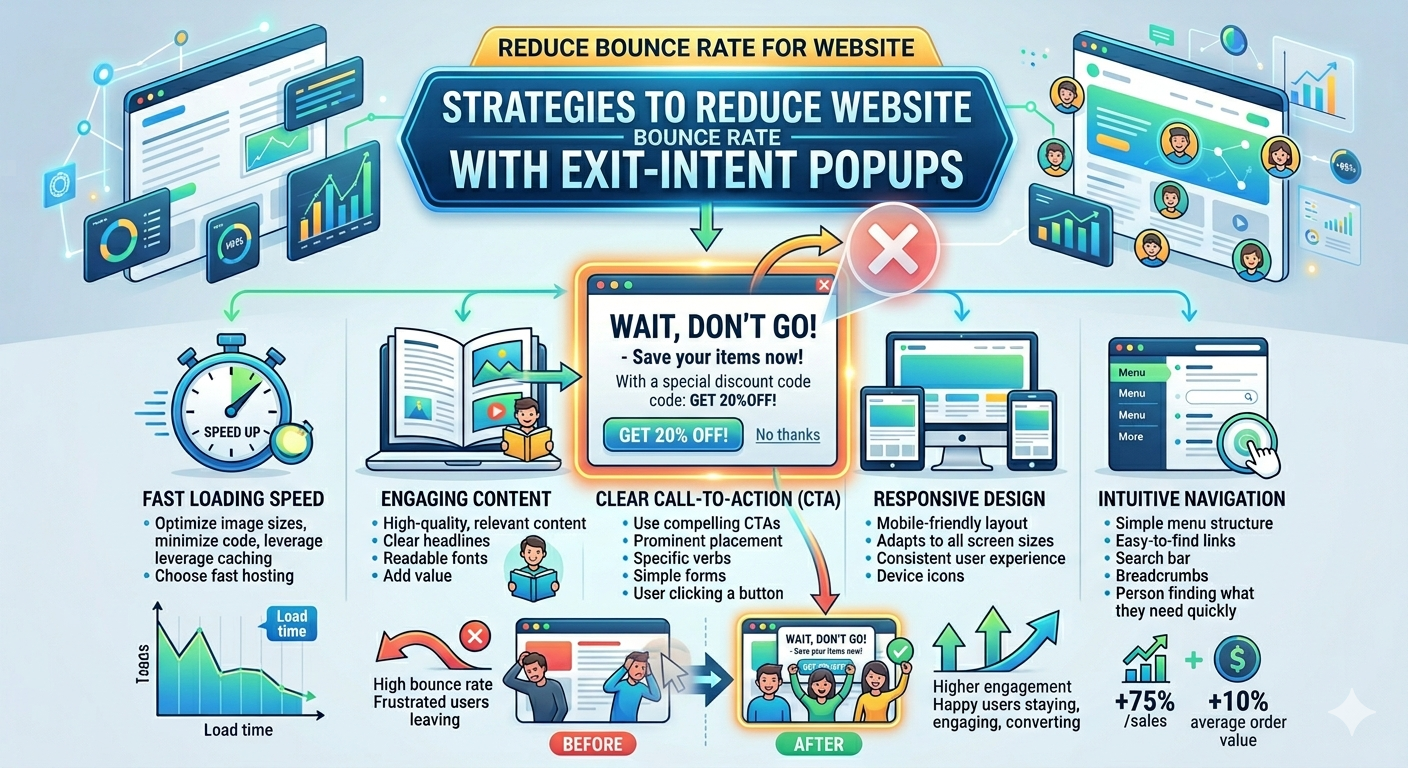
Learn how to reduce bounce rate with exit intent popups. Discover proven strategies to re-engage leaving visitors and boost conversions on your website.
How to Use Popups for Lead Generation (Complete Guide)
Learn how to use popups for lead generation with proven strategies, timing tips, and design best practices to capture more leads and grow your email list fast.
Popup Conversion Rate: What's a Good Rate & How to Improve It
Learn what a good popup conversion rate is, industry benchmarks, and proven tips to improve your popup performance and boost conversions. Start optimizing today.
Email Capture Popup: How to Grow Your Email List Faster
Learn how email capture popups grow your email list faster. Types, triggers, best practices & real examples. Start converting visitors into subscribers today.
How to Add a Popup to Your Website in 5 Minutes (No Code)
Learn how to add a popup to your website in just 5 minutes, no coding required. Step-by-step guide to launch your first popup and capture more leads today.
No-Code Popup Builder: What It Is & Why It Matters (2026)
A no-code popup builder lets you create exit intent, email capture & discount popups without coding. Learn what it is, how it works & why it matters in 2026.
Looking for the best popup builder for Shopify? This 2026 guide covers top tools for exit intent popups, email capture, discount popups, and cart abandonment, with free plan options included.
Popup Design Best Practices: UI, UX & Psychology for Higher Conversions 2026
Popup design best practices 2026: UI, UX, and psychology tips to create high‑converting popups that reduce friction, boost engagement, and respect user experience.
Popup Builder vs WordPress Popup Plugin: Which is Better in 2026?
WordPress popup plugins slow your site 30-50%. Script-based builders like SuperPopups are faster, flexible, and work on any platform. Free plan available.
Top 5 OptinMonster Alternatives to Boost Conversions in 2026
Looking for the best OptinMonster alternatives? Find top 5 powerful popup and lead generation tools for 2026 with features, pricing, and tips to boost conversions
What Is a Lightbox Popup and Why SaaS Businesses Should Use It?
Learn what a lightbox popup is and why it is most importance for SaaS businesses. Know about its benefits, examples, and tools to increase sign-ups and engagement.
Find the top 10 best popup builders of 2025 to boost conversions, capture leads, and reduce cart abandonment. Compare features and pricing to choose the right popup software for your website.
What Are the Types of Website Popups? The Complete Guide for SaaS Businesses in 2025
Learn the different types of popups, designed to boost conversions without ruining user experience. And how SuperPopups help your SaaS business growth.
SuperPopups vs. OptiMonk: Complete Comparison Guide 2026
Compare SuperPopups vs. OptiMonk to find the best popup builder for your business. Find key differences in pricing, features, ease of use, and conversion performanceupdated for 2025.
Find the Webflow powerful pop-up builder tool to boost conversions, capture leads, and enhance user engagement without coding. Easily create, customize, and manage popups in Webflow.



.avif)








.jpg)










.jpg)



.jpg)





.jpg)

.jpg)
.jpg)


.jpg)







